
The keep list
Items that Quick Stack and Quick Empty leave in your inventory, and how to set them.
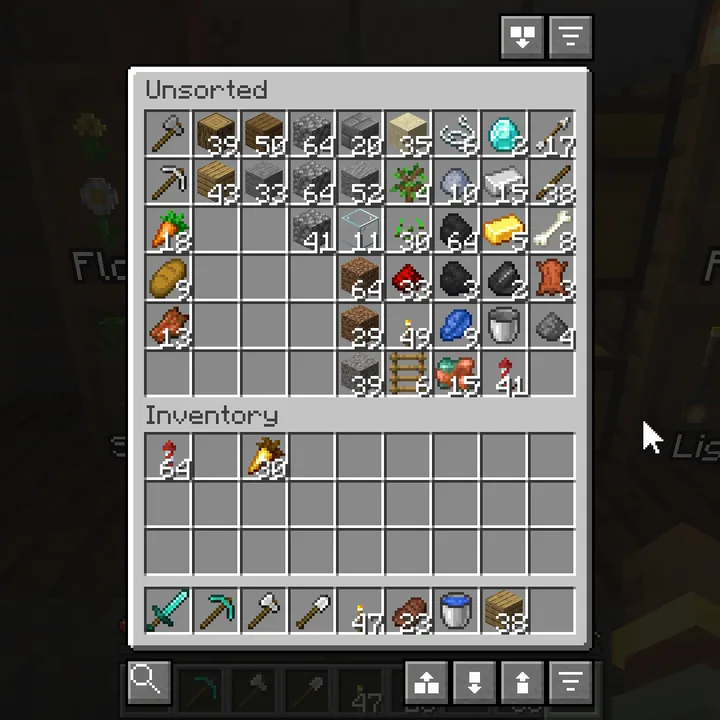
In an inventory screen #
| Do this | What happens |
|---|---|
| Alt+Click an item | It is never sent to a chest. Click again to stop keeping it. |
| Alt+Scroll an item | Keep a number of stacks instead: keep 2 stacks of rockets, and only what is above that leaves. |
| Alt+Right-click an item | One stack more. |
| Hold Alt | Shows which stacks are kept. |
| Hover Quick Stack or Quick Empty | Shows the same, before you click. |
A rule belongs to the item, not to the slot, so sorting does not undo it. The action bar says what you set. Sorting and Quick Fill are not affected by the list.
From the start #
Ender chests and elytra are kept from the start: an ender chest in a chest is storage you can no longer reach, and an elytra in a barrel is a fall.
The list #
Type /sorted keep, or set a key for Sorted: Open Keep List in Options, Controls. Every rule is a row, with what it is holding back right now and buttons to change it. Type to filter, or to add an item you are not carrying.
Share a list #
Share turns the list into one code you can paste into Discord. Someone else copies it and presses Read clipboard, then Merge or Replace. Merge keeps the stricter rule where both lists have one. A code that was cut short is refused rather than half read.
Protections #
Three settings keep whole kinds of items, on top of the list: Protect all tools, Protect enchanted items and Protect named items. All three are off by default.
Something missing or wrong on this page? Say so on Discord.