
Sorting chests
How a chest is sorted, what ends up together, and the layout each chest remembers.
Open a chest, barrel or shulker box and click the sort button above it, on the right.
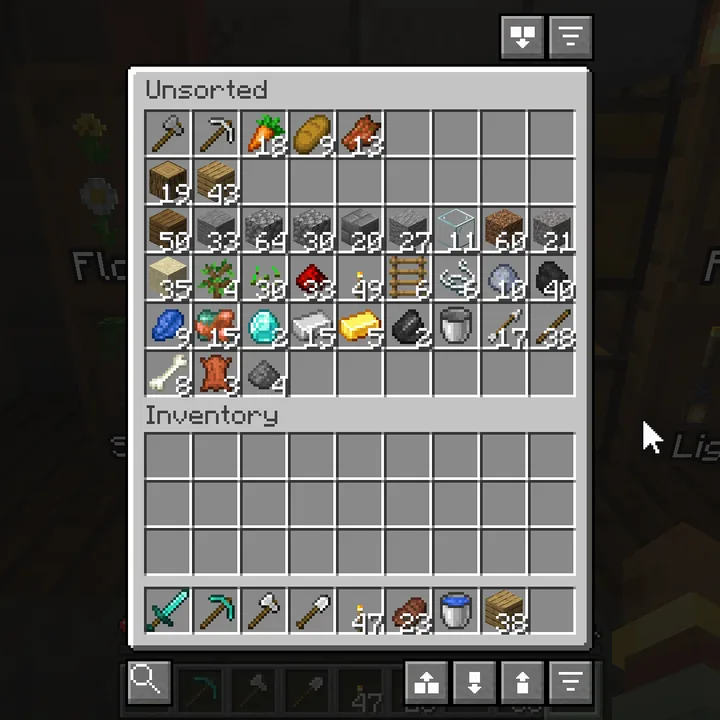
The layouts #
| Click | Layout |
|---|---|
| Click | Picks the layout that suits what is in the chest. |
| Shift+Click | Columns: each kind of thing gets its own column. |
| Ctrl+Click | Rows: each kind of thing gets its own row. |
Each chest remembers the layout you used on it. Quick Empty and sorting on open use it again.
What goes together #
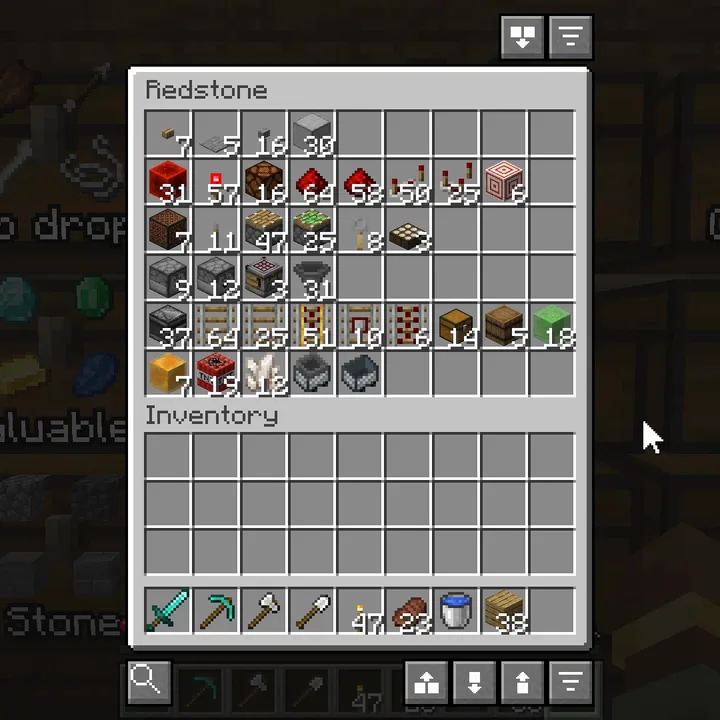
Sorted groups things by what they are, not by name. A redstone chest gets dust, torches, repeaters and comparators in one group, pistons in the next, then droppers, dispensers and hoppers, then rails.
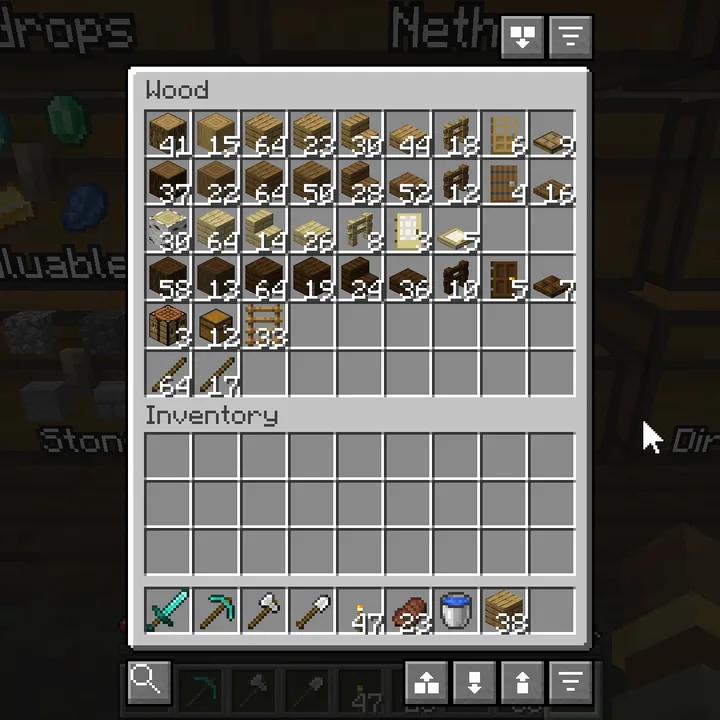
In a wood chest each kind of wood is a group of its own, with logs, planks, stairs, slabs, fences and doors in the same order.
Sorting on open #
- Auto-sort containers on open default Off
- Sort a chest, barrel or shulker box when you open it, in the layout you used on it last.
- Merge partial stacks default On
- Combine partial stacks of the same item before sorting.
Something missing or wrong on this page? Say so on Discord.