All mods
Wildform logo

Wildform

In development

A tree and forest mod for Minecraft, on Fabric

Paint a forest across your world, or plant one tree exactly where you want it.

The trees come from the VoxelSprout tree generator: 45 species, from oak and beech to redwood, baobab, mangrove, bonsai and dead snags. The brush spaces them the way a wood grows, and they stand on the terrain with their roots in it.

  • Minecraft 26.1 to 26.3
  • Client-side only
  • Free

Not released yet. The Modrinth page opens with the first version.

What it does

Recorded in the game, with vanilla textures. Click a clip to pause it.

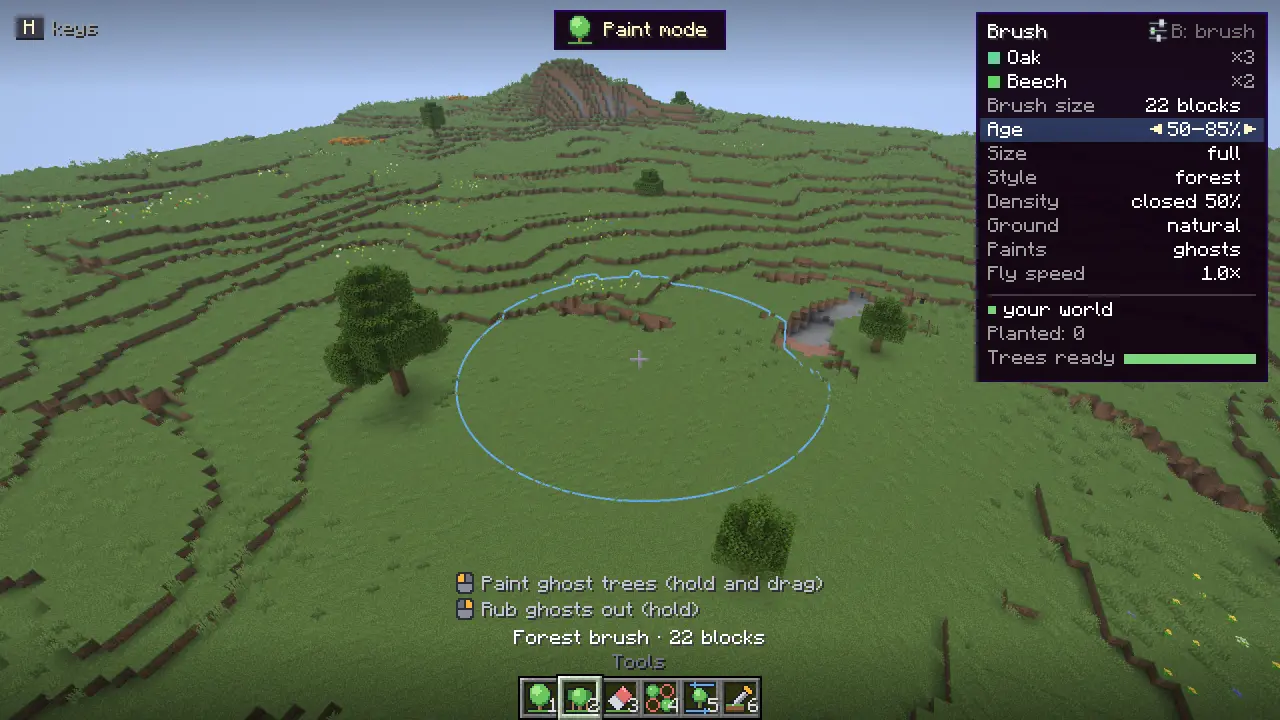
One stroke of the forest brush over plains: ghost trees appear where it finds room, then Enter plants them

Paint a forest

Press K, fly over the land and drag the forest brush across it. You see the wood as ghost trees first; Enter plants the lot as one stroke.

  • Trees stand where their crowns have room, in stands of an age, each species in its own patches
  • Mix several species in one brush, each with its own share
  • Paint in layers: a canopy first, then young trees along the edges
  • Rub ghosts out, swap one for another, or thin a stand before planting
How it works
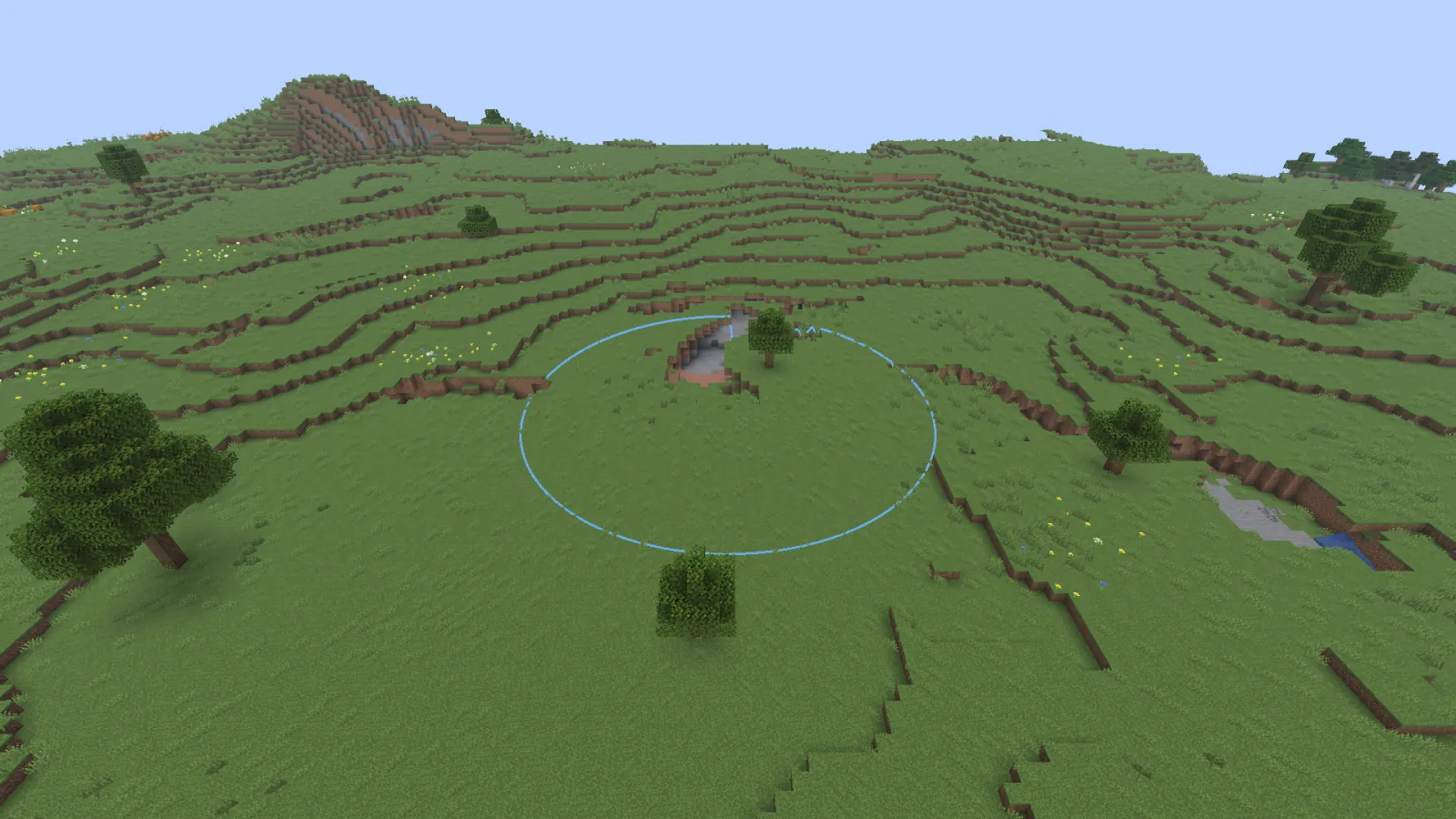
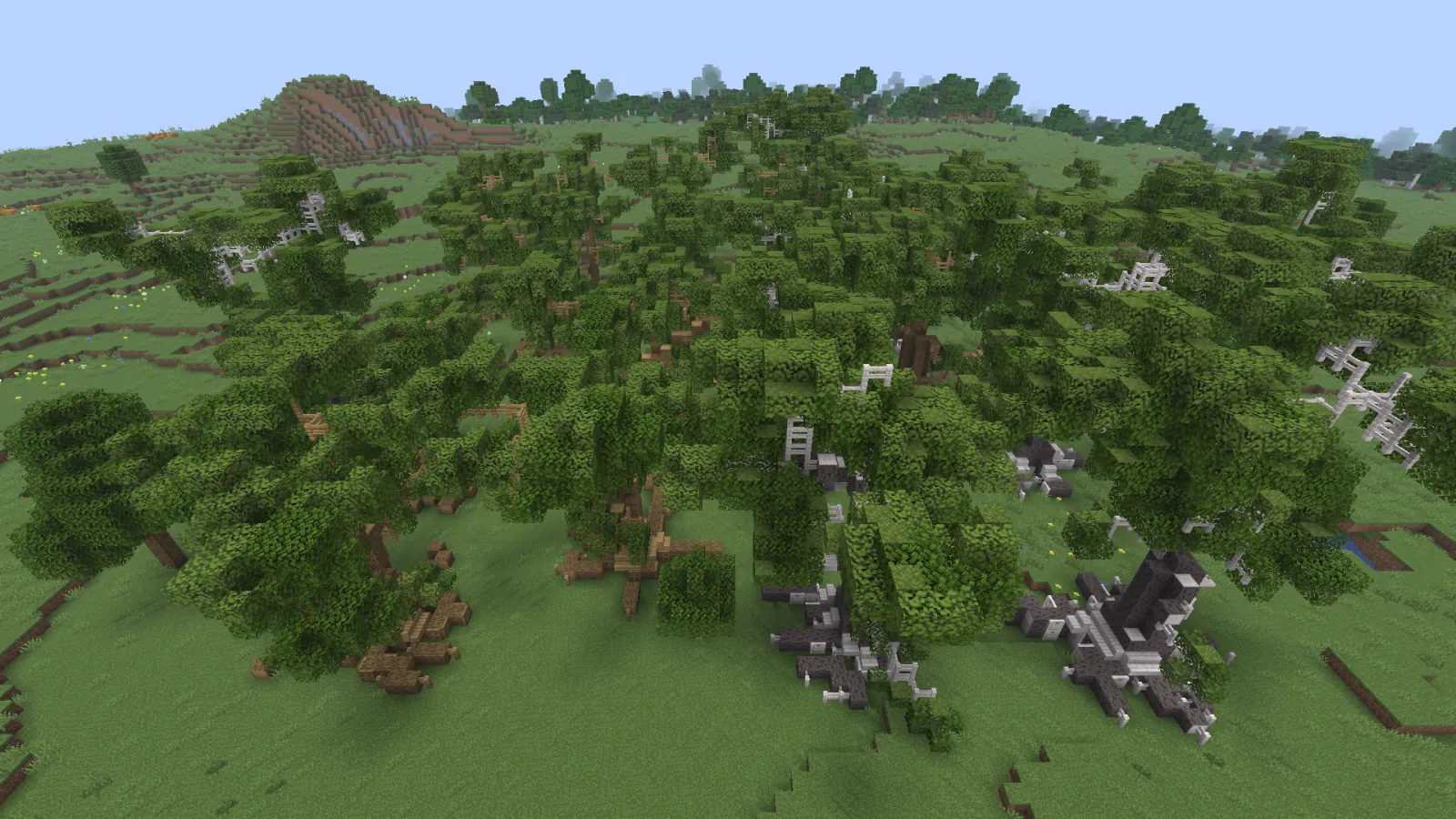
The same plains before and after painting a wood of oak and beech with birch and hazelBeforeAfter

Fits the land

The same field before and after, from the same spot. Drag the handle. Trees follow the terrain and push their roots into it, so they look grown in, not set down.

  • A tree stands at the most common ground height under its trunk, and its foot follows one-block steps
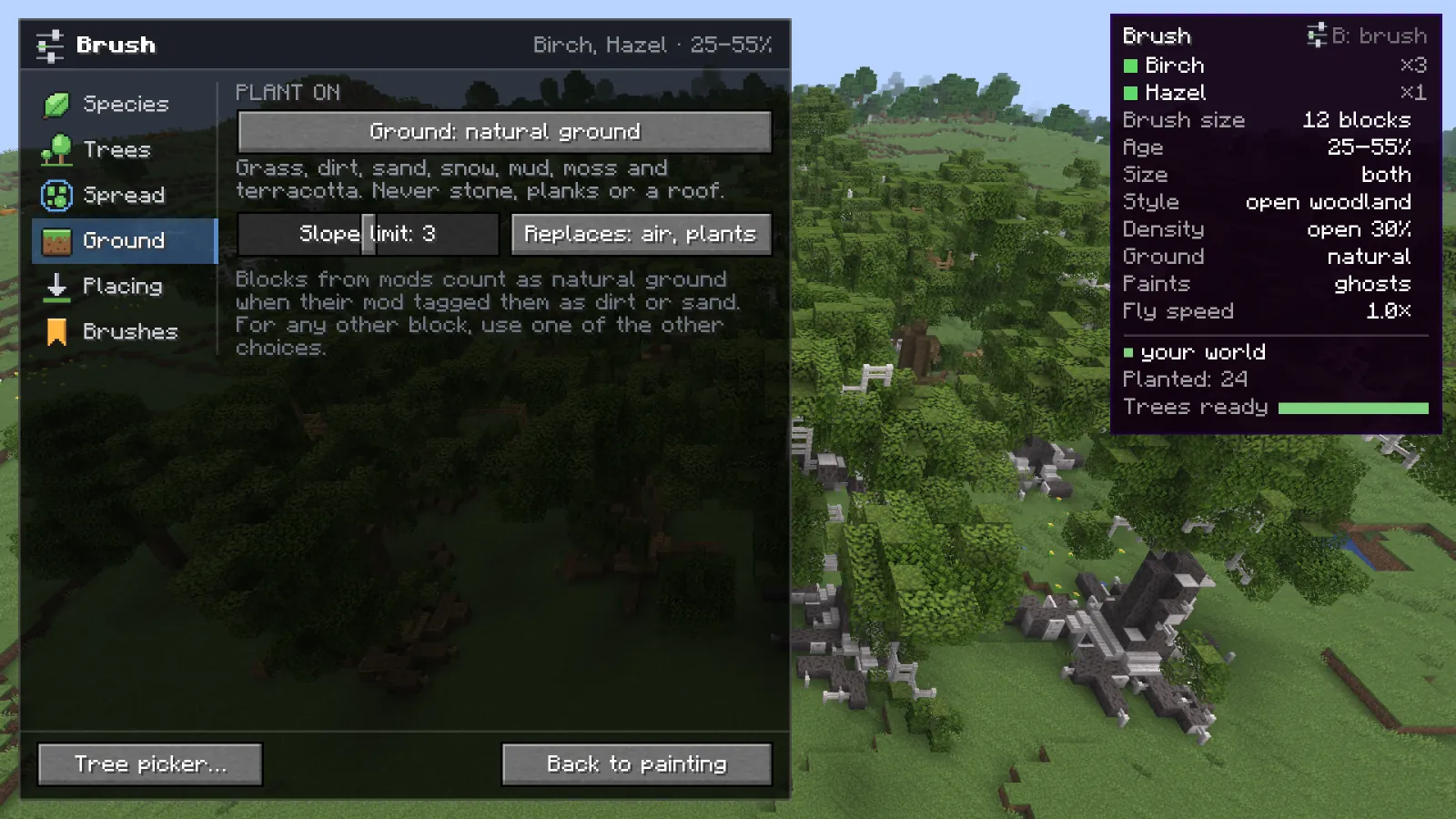
  • Plants on natural ground by default: never on stone, planks or a roof
  • Water, steep spots and existing trees are left alone
  • Grows around anything solid in its way, unless you tell it to replace
How it works
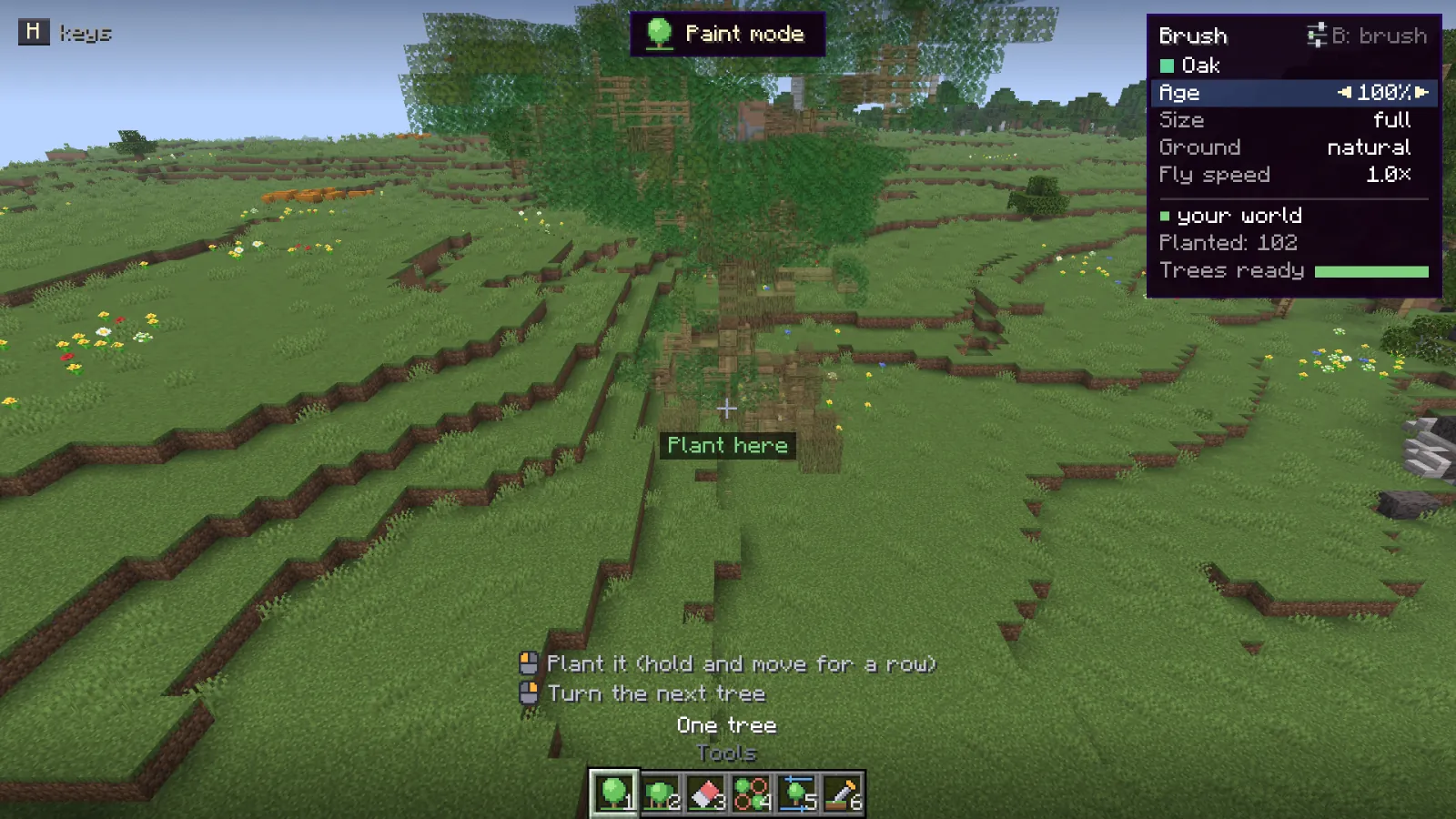
The next tree shown as a ghost at the crosshair in paint mode

One tree at a time

For a single tree by a house, in a garden or on a hill. The next tree shows as a ghost where it will stand. Click to plant it, right click to turn it, R for another one. Hold the button and move for a row.

All six tools

The tree picker

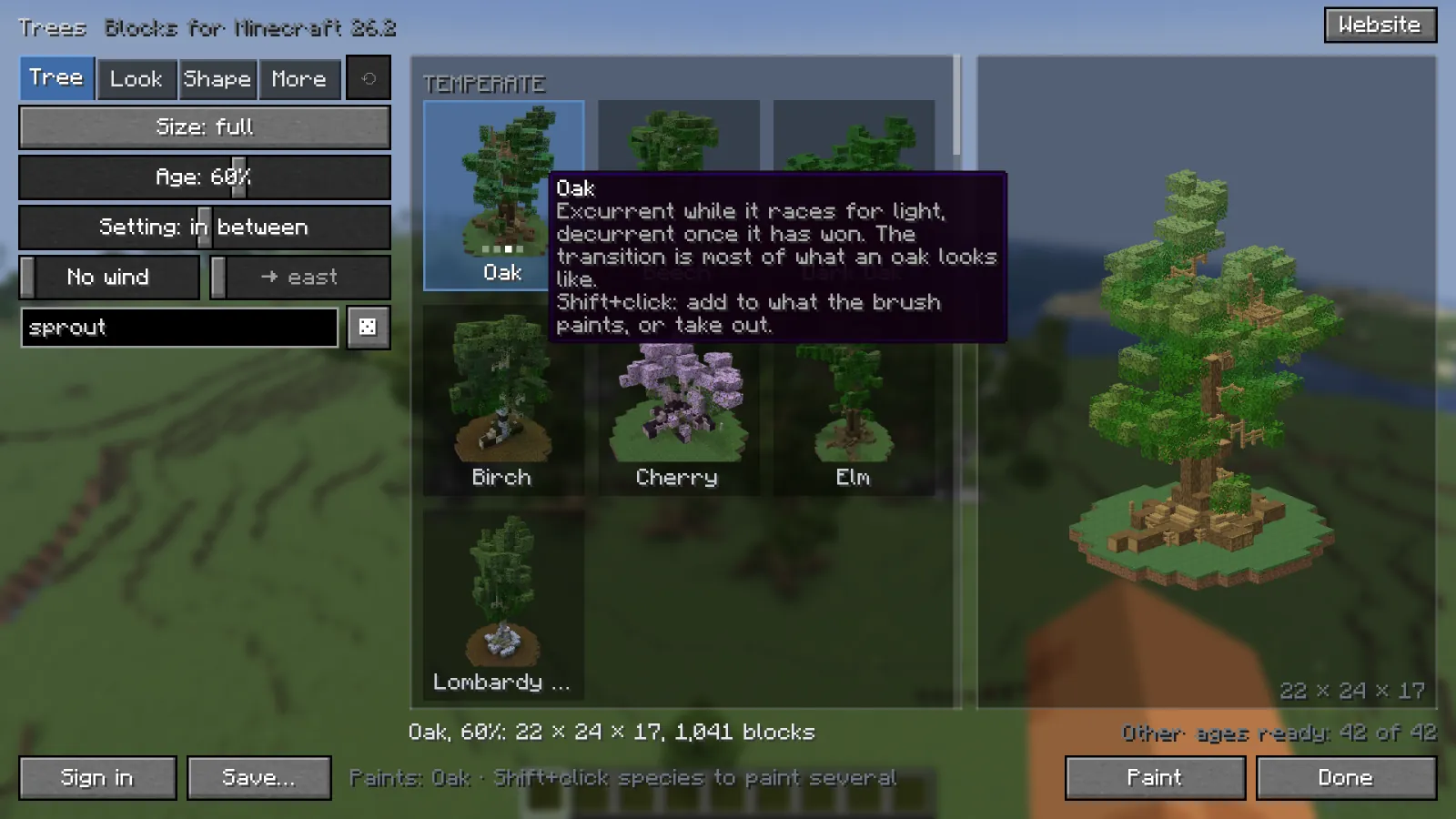
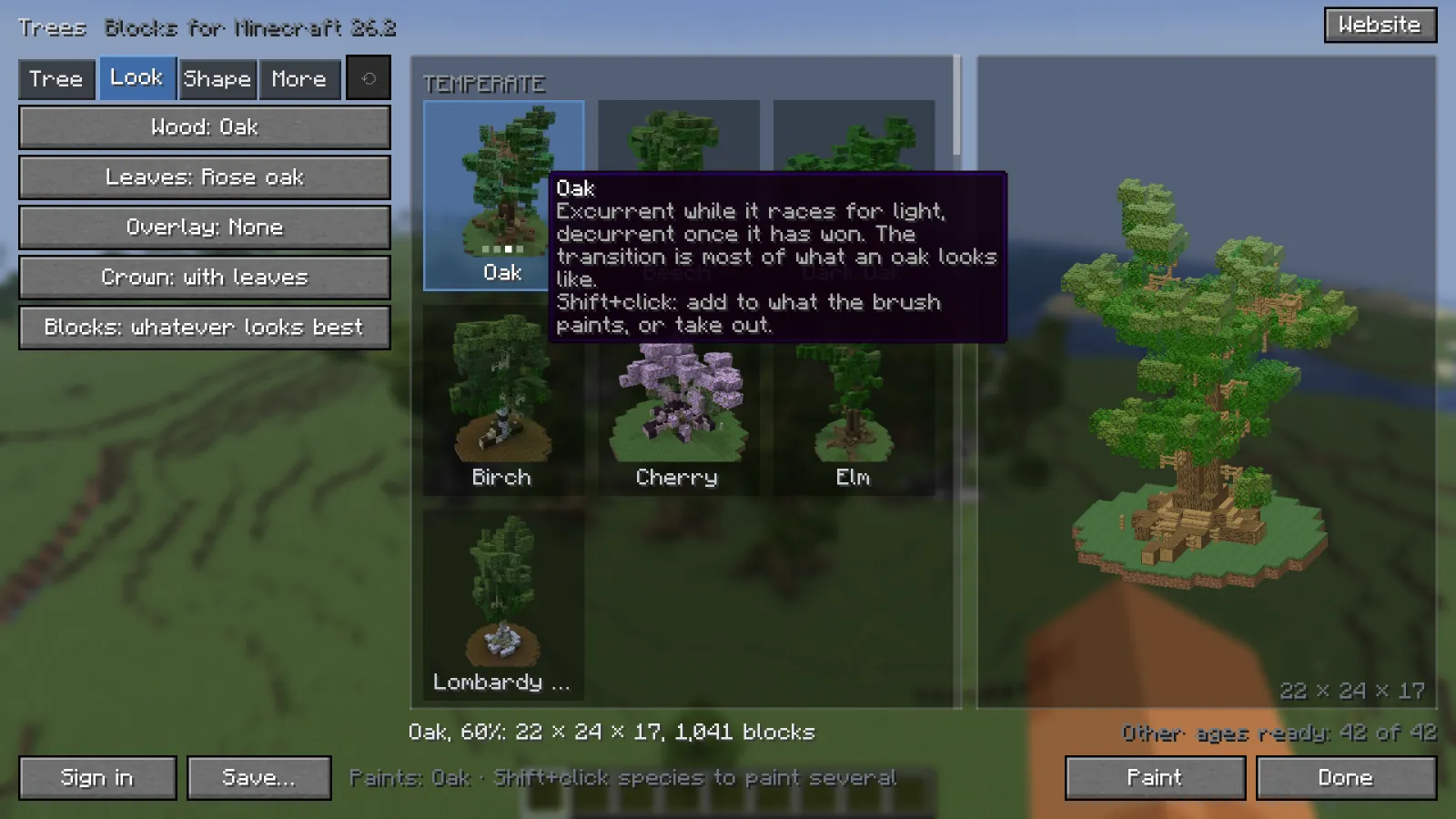
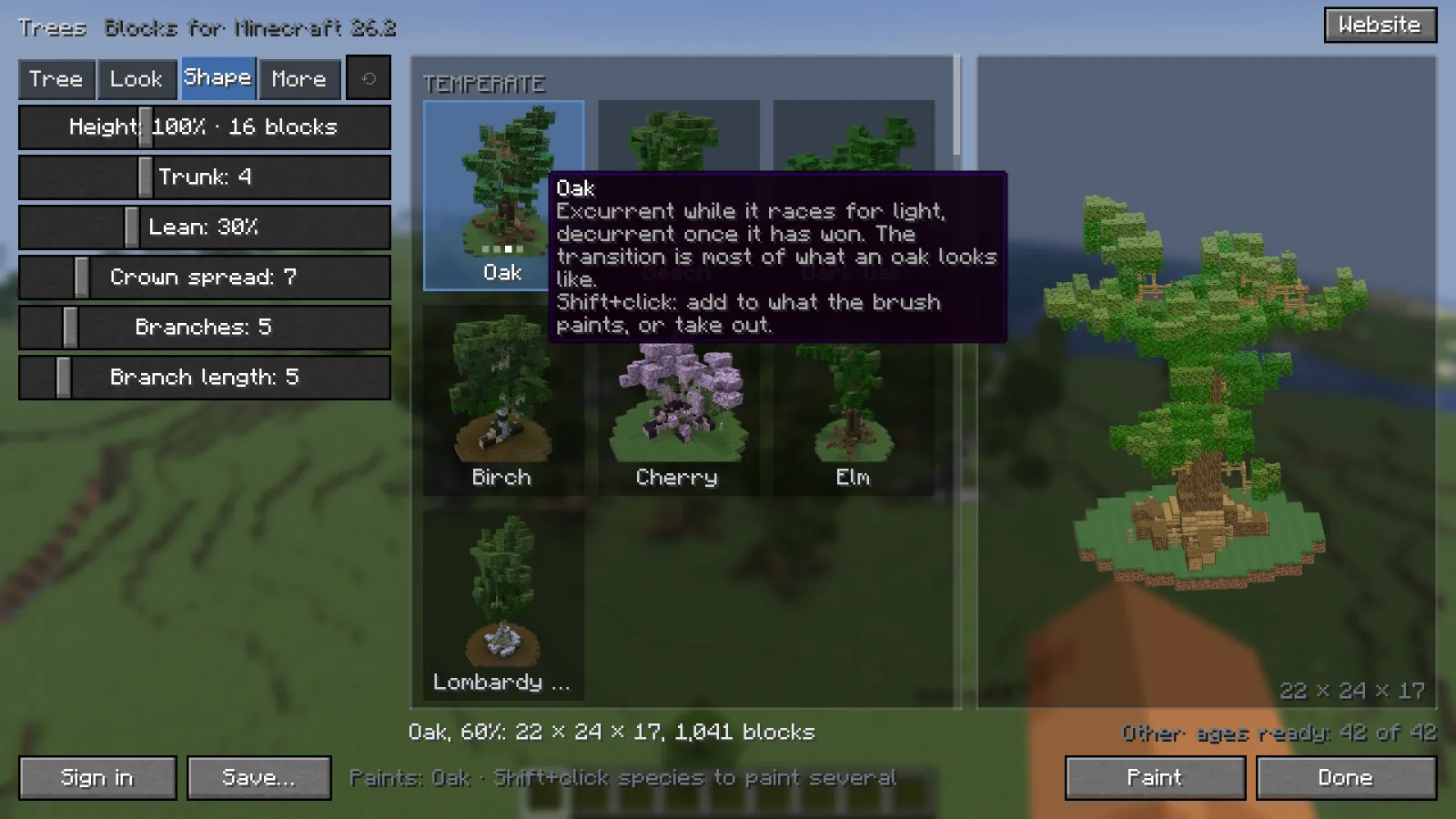
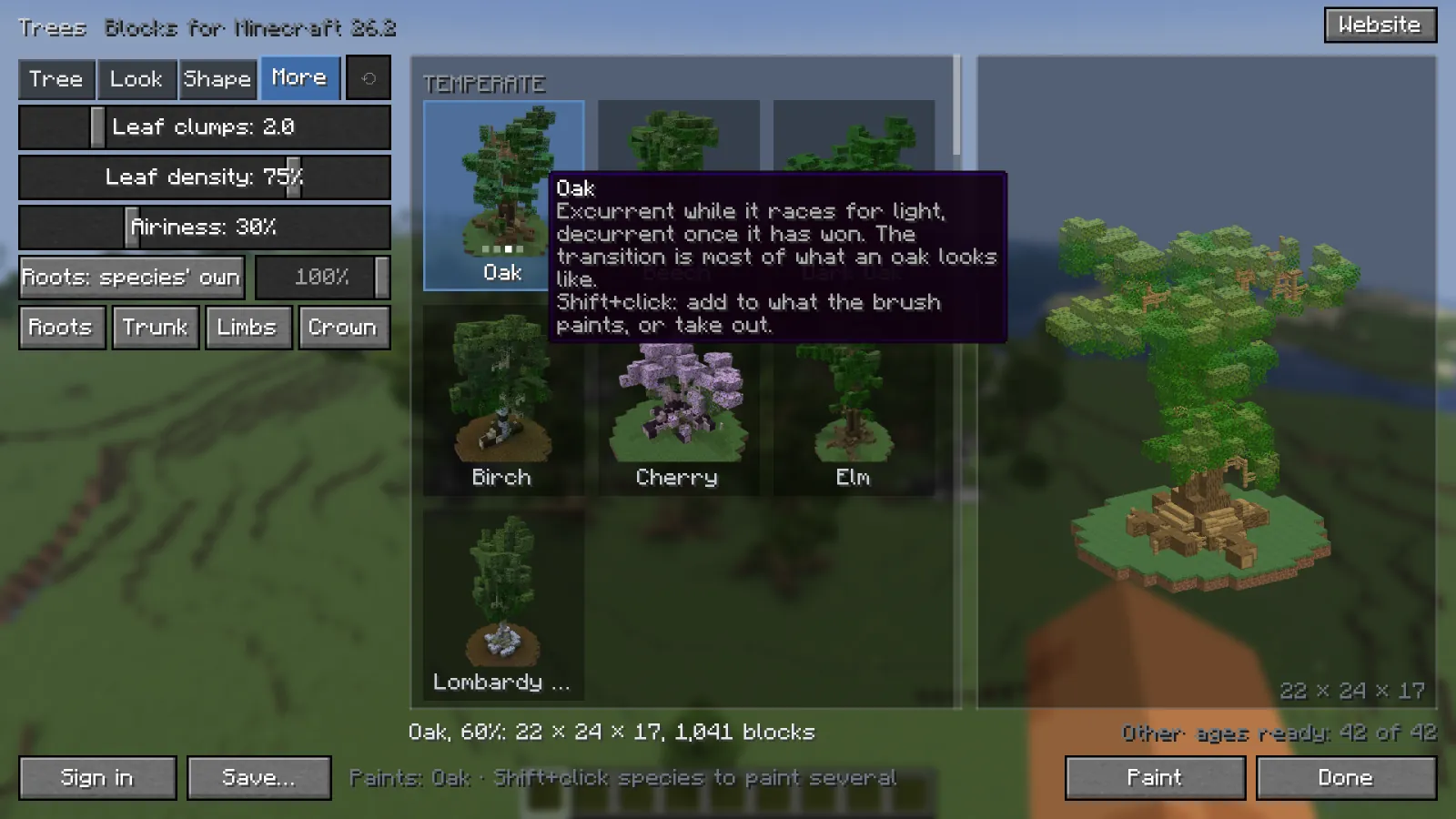
Press J in the game. The species are pictures that turn when you hover them, and the 3D preview follows every change. Pick a page to see it.

More about the picker
The Tree page of the tree picker

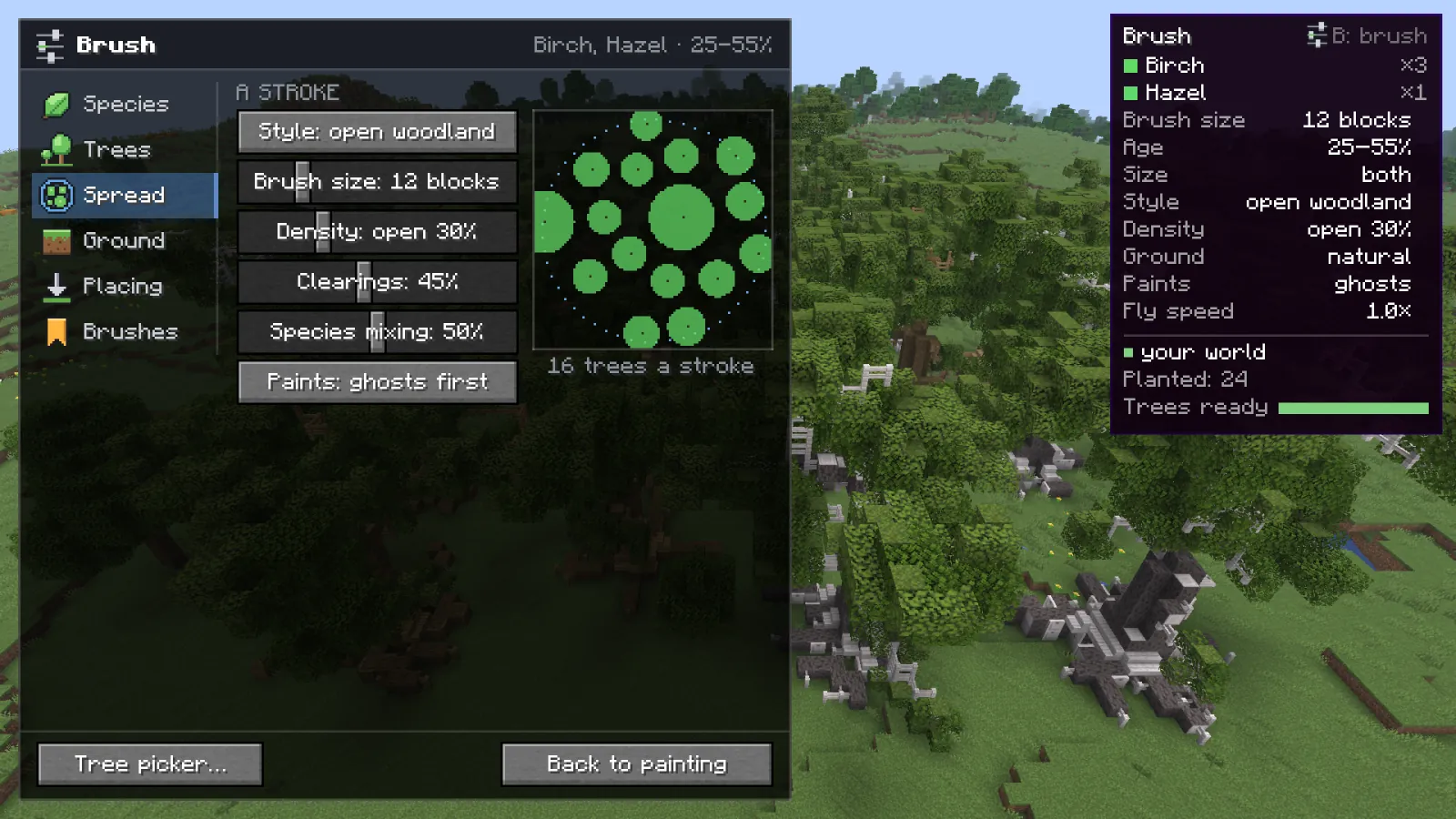
The brush panel

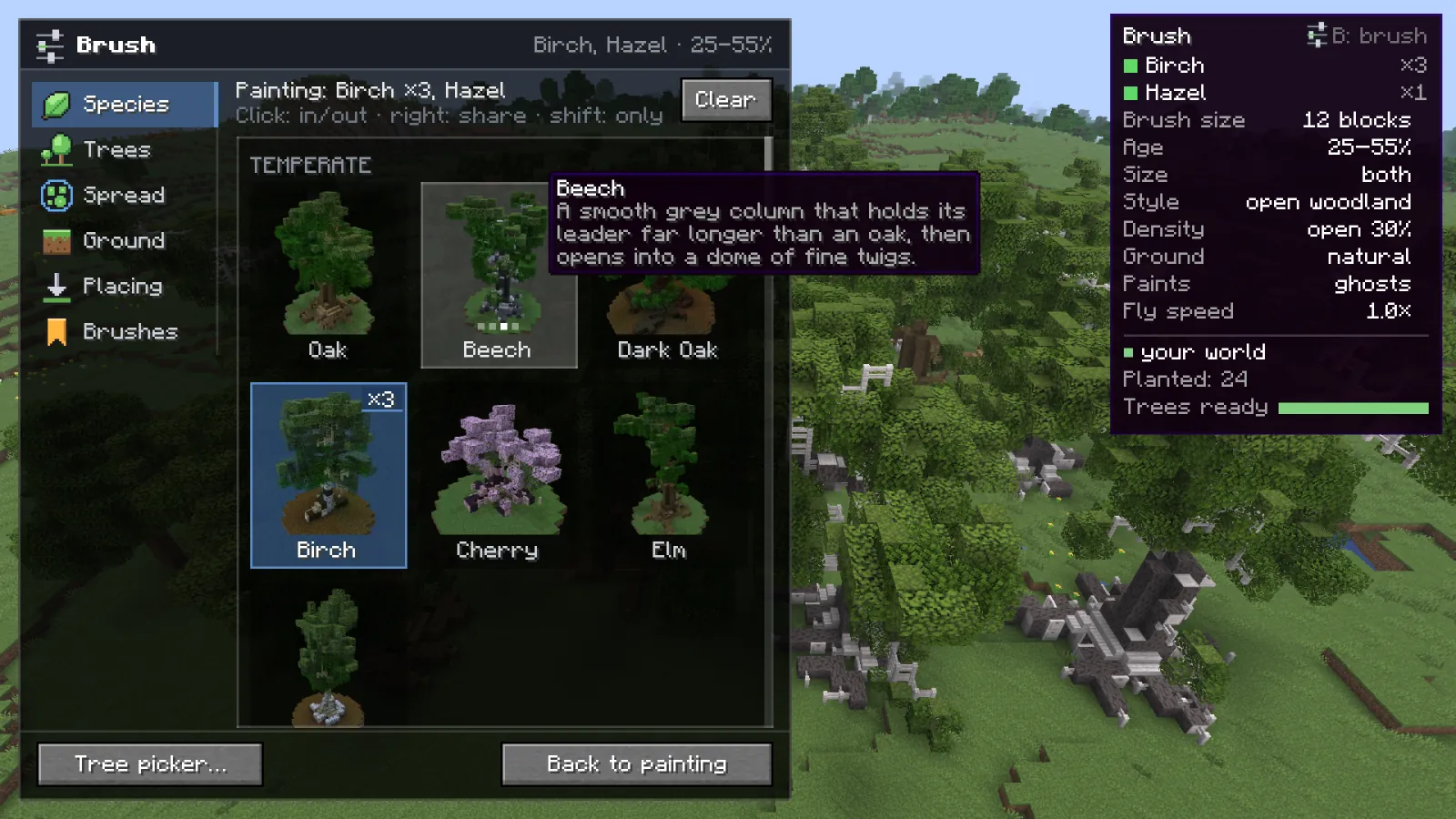
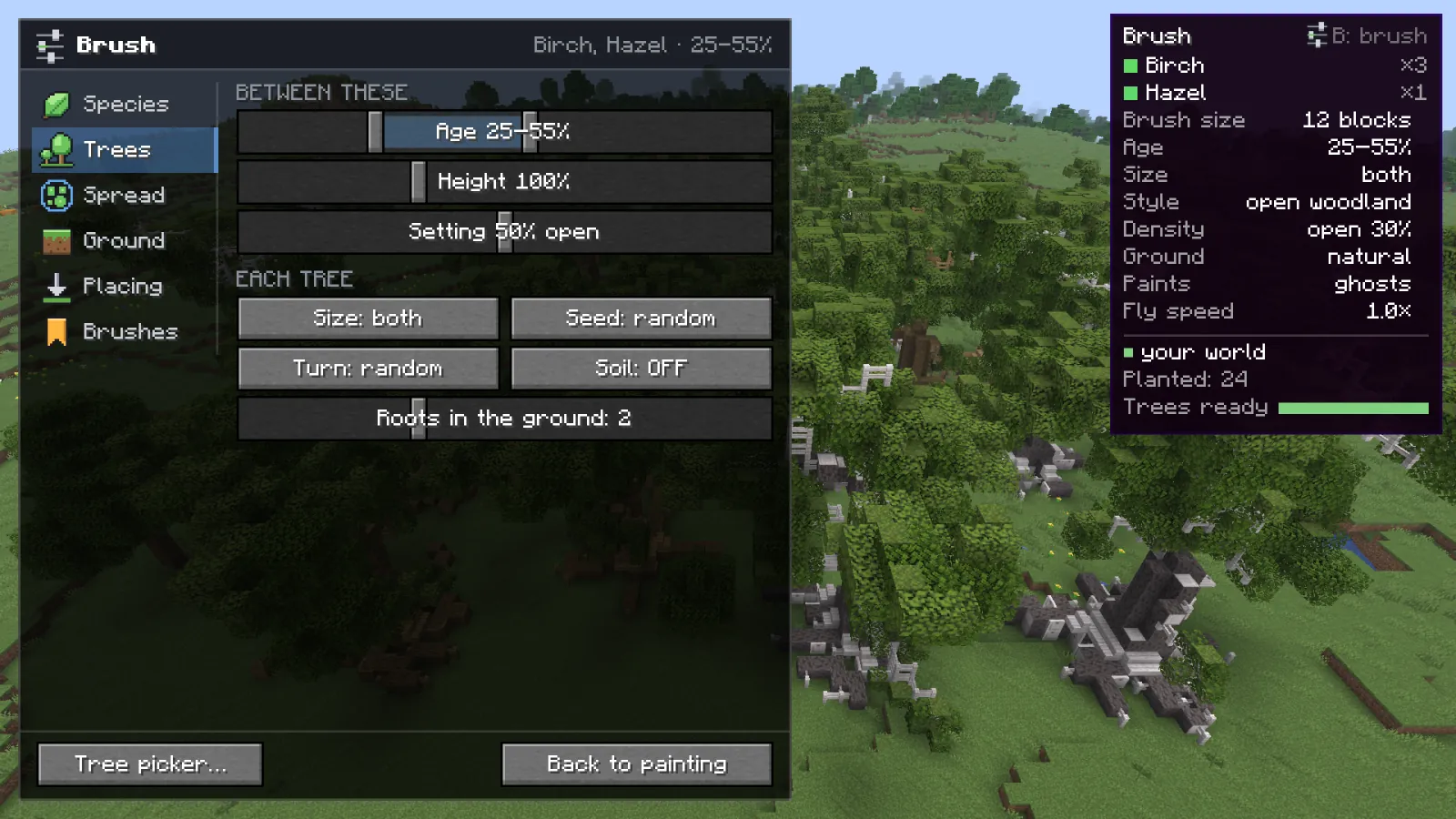
Press B while painting. It opens down the side, the world stays in view, and changes apply as you make them.

The Species page of the brush panel
Every setting

Undo a stroke

Z and Y undo and redo a whole stroke, erasing included, for the whole session.

Read more

Any ground

Point at a block and press G: now it counts as ground. Modded blocks too.

Read more

Saved trees

Keep trees and brushes you like. Signed in, your trees and your species from the site come along.

Read more

No modifier keys

Every paint key works without Shift, Ctrl or Alt, so it works the same on a Mac and a trackpad.

All keys

Not trees on a grid

Real woods have a few habits, and the brush copies them: crowns set the spacing, neighbors are of an age, each species grows in patches, and the edge of a stroke frays out. Below is one stroke from above, worked out with the same rules the mod uses. Change the style or the sliders and watch it change.

Drawing a stroke...
Styles and spread in the wiki

45 species, grown, not copied

Every tree is grown by the tree generator from a seed, so no two need to be the same. Each species has its own way of growing: an oak that races for light and then spreads, a willow that weeps, a redwood with a buttressed foot once it is old. When the generator gets a new species, Wildform has it too, without an update.

Species
45
Wood palettes
32
Leaf palettes
44
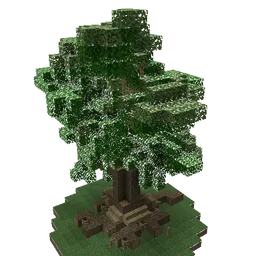
A generated oak tree

An oak from the generator, seed sprout. Drag to turn it.

Hover a card to turn the tree. Click it to open that species in the generator.

Singleplayer and servers

Nothing to install on the server. Wildform uses what the server already lets you use, in this order, and the brush panel says which ones work where you are. When a server refuses one, Wildform stops using it there and shows you the server's reason.

  1. 1. Singleplayer

    Your world

    Blocks go straight into the world. The fastest way.

    Needs: Nothing

  2. 2. Servers with the AxiomPaper plugin

    Axiom

    Speaks the plugin's own protocol. With the Axiom mod installed, Wildform leaves Axiom to it and goes through the mod.

    Needs: The axiom.use permission, or the Axiom mod installed

  3. 3. Any server

    /fill commands

    Boxes of the same block are merged, so a tree takes as few commands as it can.

    Needs: Operator status

  4. 4. Servers with WorldEdit or FAWE

    WorldEdit

    With FAWE, one schematic paste per tree. Without operator status the server allows about one command a second, so big trees take a while.

    Needs: Permission for //set

  5. 5. Anywhere BuildPrint runs

    BuildPrint blueprint

    Trees go into a BuildPrint blueprint, not the world: one per world, kept up to date as you paint and undo. Build it by hand or with easy place.

    Needs: BuildPrint installed

Placing on servers
BuildPrint logo

Build it with BuildPrint

With BuildPrint installed, trees can go into a BuildPrint blueprint instead of the world. BuildPrint shows them as a ghost build with a material list, and easy place can put the blocks down for you.

  • In survival: trees go to the blueprint, nothing appears for free
  • On servers where you have no commands, Axiom or WorldEdit
  • One blueprint per world, kept up to date as you paint and undo

Something to plant around

A forest looks best with a build in it. The marketplace has schematics made by players: houses, towers, farms, gardens and more, each shown in 3D in your browser before you download it.

  • No account needed to download
  • BuildPrint opens it in the game: place a build, then paint a forest around it

Keys and tools

Shortcuts

KeyAction
JOpen the tree picker
KStart or leave paint mode
1to6Pick a tool: one tree, forest brush, eraser, thin out, swap a ghost, pick ground
Left clickUse the tool. Hold and drag to paint
Right clickTurn the next tree, or rub out ghosts with the forest brush
EnterPlant all ghosts
BackspaceClear the ghosts
ZorYUndo / redo
BorTabOpen the brush panel
HShow or hide the key card
KLeave paint mode
Flying and quick changes
Key in paint modeAction
WASDFly
SpaceorShiftUp / down
CtrlFly faster
ScrollBrush size, or turn the next tree
[or]Brush size
orPick a row on the brush card
orChange that row: size, age, style, density, ground, ghosts or at once, fly speed
RAnother tree
CBack to one species
GThe block you point at counts as ground, or no longer

J and K can be changed in Options, Controls, under Wildform.

Tools in paint mode

  • 1One treePlant it (hold and move for a row).Right click: turn the next tree.
  • 2Forest brushPaint ghost trees (hold and drag).Right click: rub ghosts out (hold).
  • 3EraserTake out ghosts and trees you planted (hold).
  • 4Thin outTake out about half the trees in the ring.
  • 5Swap a ghostAnother tree for the ghost you point at.
  • 6Pick groundThis block counts as ground, or no longer.

Install

What you need

Minecraft
26.1 to 26.3
Fabric Loader
0.16 or newer
Fabric API
Any recent version
Java
25, the same as Minecraft 26
BuildPrint
Optional, for blueprints and survival

Client-side only. Nothing is installed on the server. Needs an internet connection: the trees come from voxelsprout.com.

Steps

  1. Install Fabric Loader for Minecraft 26.1, 26.2 or 26.3.
  2. Download Wildform and Fabric API from Modrinth.
  3. Put the files in your mods folder and start the game.
  4. Press J in a world, pick a tree and press Paint.

Wildform is in development. The Modrinth page opens with the first release; early builds are on Discord.

From the game

Taken in a real world with vanilla textures. Click one for the full size.

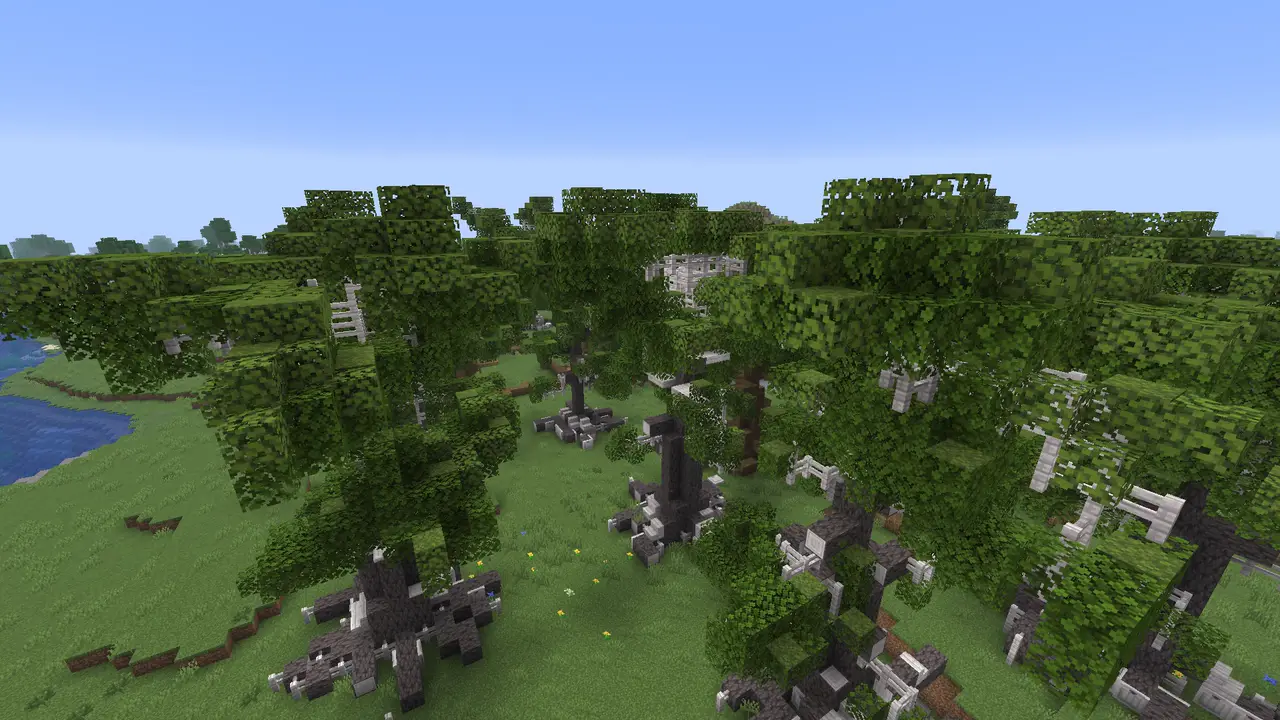
Oak and beech painted over plains, birch and hazel along the edge
A mixed wood, painted in two layers.1 / 6

Wiki

How each part works, with every setting and its default.

Open the wiki

Questions

Is it out yet?

Not yet. It works and is being tested, but the first version is not released. Early builds and news go out on Discord first. The Modrinth page goes live with the first release.

Does the server need Wildform?

No. Wildform runs on your client only. On a server it places blocks with what the server already lets you use: Axiom, /fill or WorldEdit. With none of those, it can put the trees into a BuildPrint blueprint for you to build. See Placing on servers.

Can I use it in survival?

Yes, with BuildPrint. Painting from survival, Wildform puts the trees into a BuildPrint blueprint instead of the world. BuildPrint shows them as a ghost build with a material list, and easy place can put the blocks down. Trees do not appear for free. See BuildPrint and survival.

In the tree picker, Blocks: placeable by hand makes the generator use only blocks a player could place in survival.

Does it need an internet connection?

Yes. Trees are grown by the tree generator on voxelsprout.com and fetched when you need them. Trees you used before are kept on your computer, so they come back without a new download.

Can I undo a forest?

Yes. Z undoes a whole stroke and Y redoes it. Ghost trees are undone first, then planted strokes. The eraser is a step in the history too. Undo covers the current session. See Ghosts and undo.

Is this a world generation mod?

No. Wildform does not change how new chunks generate. It is a building tool: you choose where the trees go.

Wildform is made by one person and still in development. Early builds, news and bug reports are on Discord.