All mods
Charted logo

Charted

A map mod for Minecraft, on Fabric and NeoForge

A minimap, a world map and waypoints that work on any server.

Charted runs on your computer only, so it works on vanilla servers and Realms with nothing installed on the server. It maps as you play, keeps a map for each world, and brings your waypoints over from Xaero's Minimap and JourneyMap.

Also on CurseForge. New versions reach Modrinth first; CurseForge checks every file before it goes live.

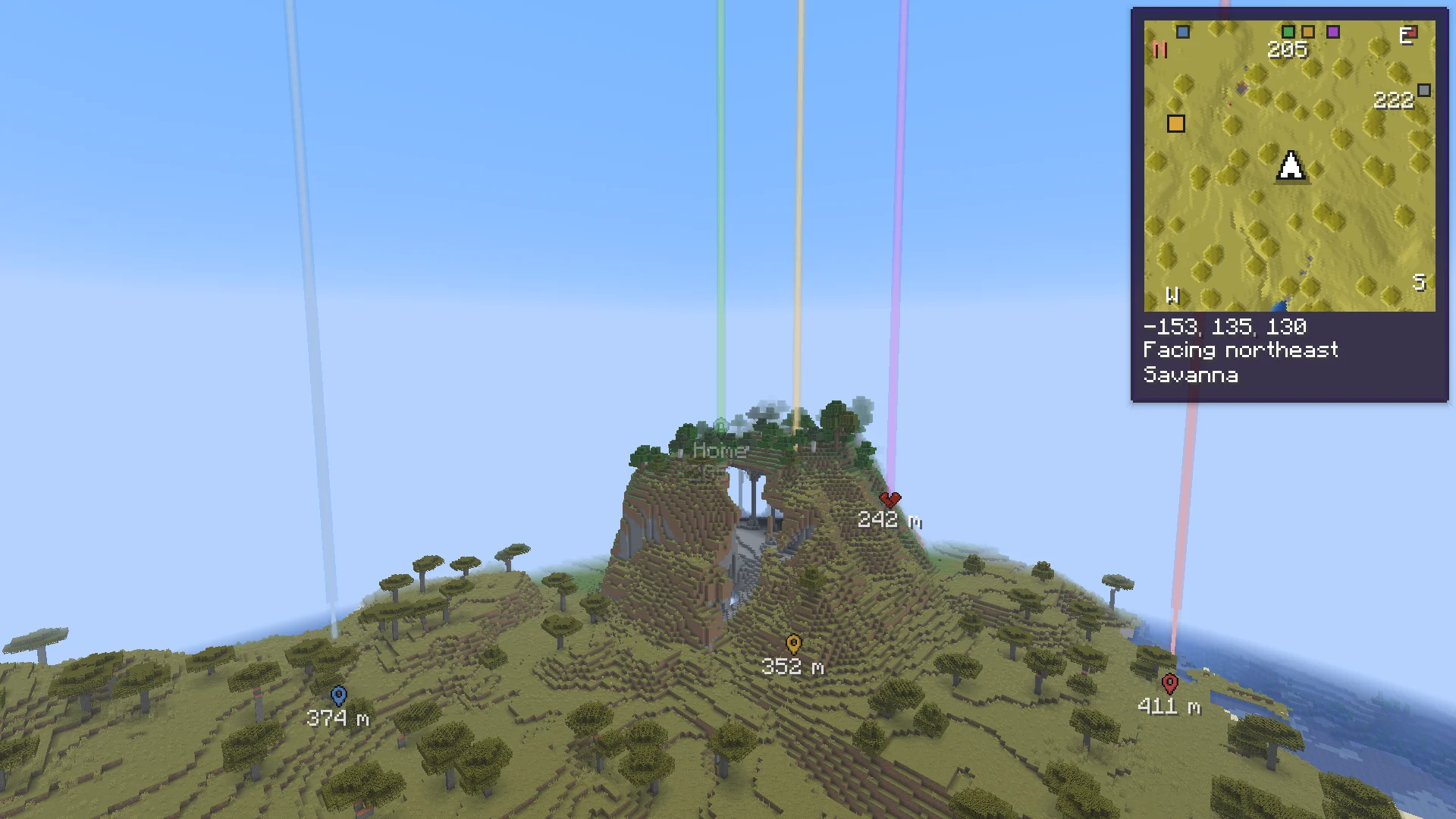
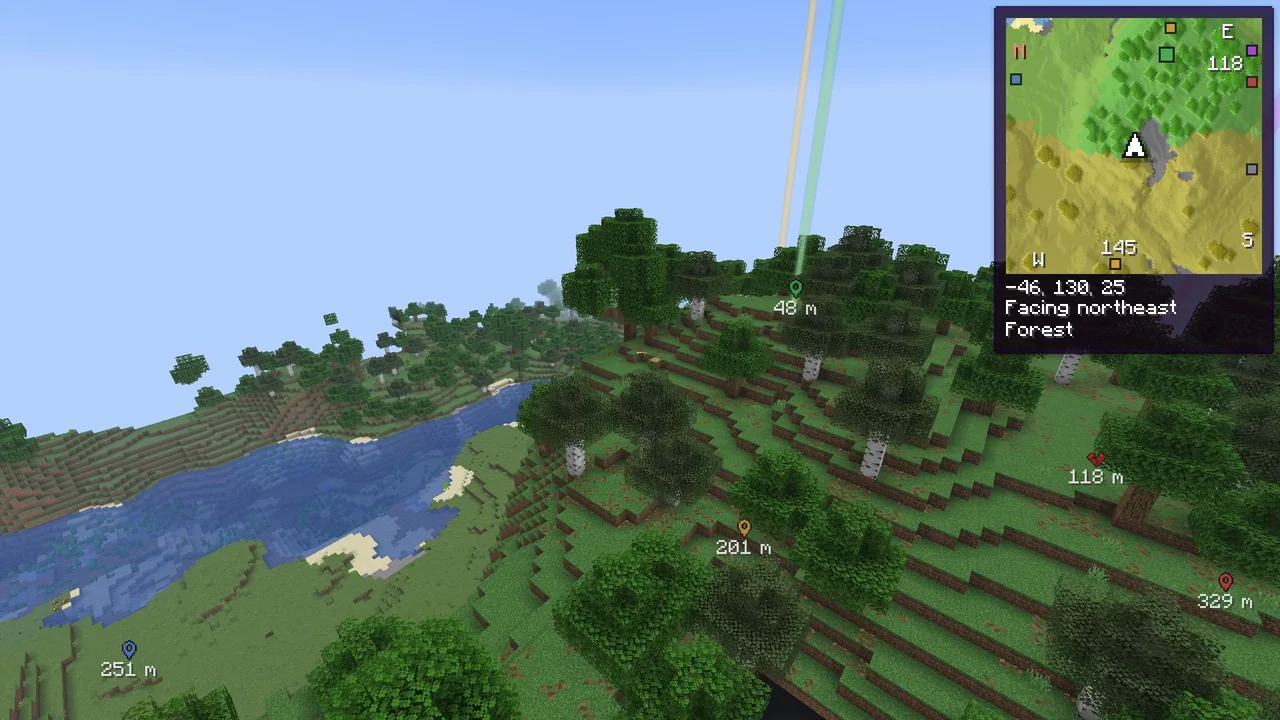
The minimap in the corner over a build, with the world map open beside it

What it does

Recorded in the game, with vanilla textures. Click a clip to pause it.

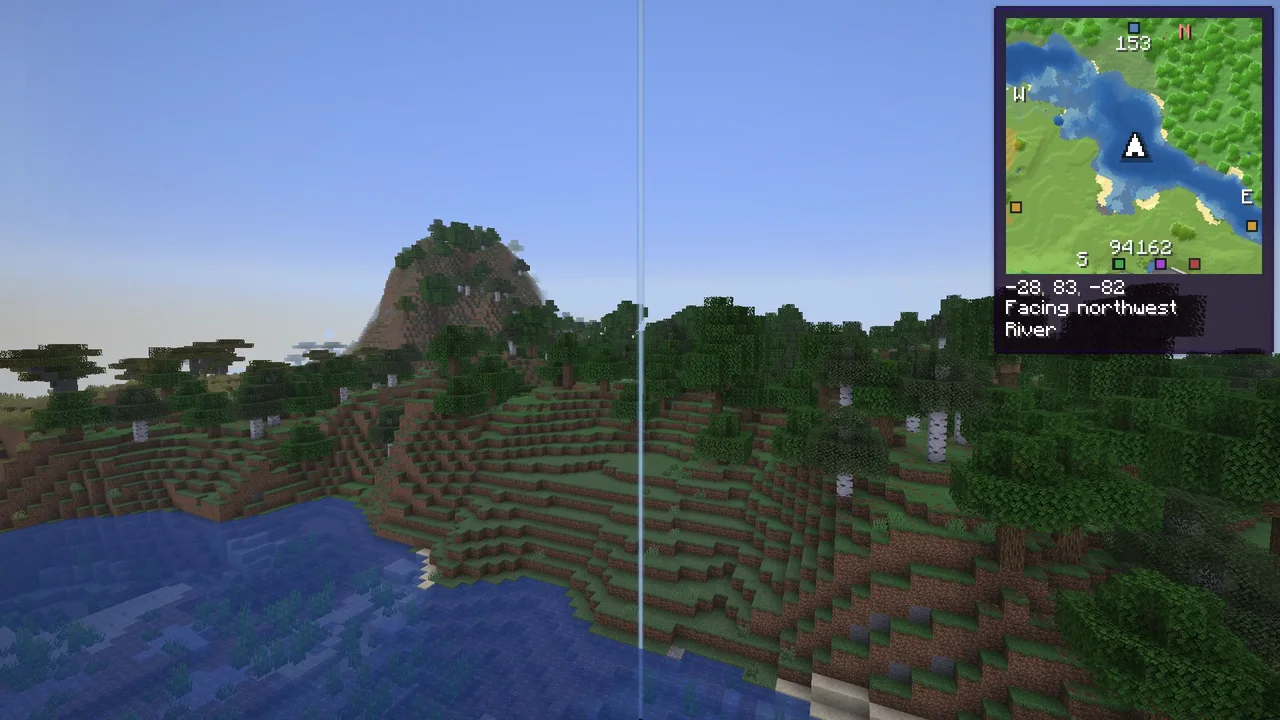
The minimap turning and filling in during a flight over new land

A minimap that stays out of the way

A square map in the corner that turns with you, on a soft shadow so it sits loose from the world. New ground fades in as you explore, and underground it fades over to the cave you are in. It steps away in menus, while you hold Tab, and with F1.

  • Lines under it, each on its own: coordinates, direction, time, biome, the other side of a portal, light level, day count and speed
  • Hold Z for a big minimap in the middle of the screen, without opening the map
  • Four starting points: Simple, Explorer, Survival and Everything
  • Move it, resize it or give it another corner
The minimap
The world map opening out of the minimap, dragged and zoomed

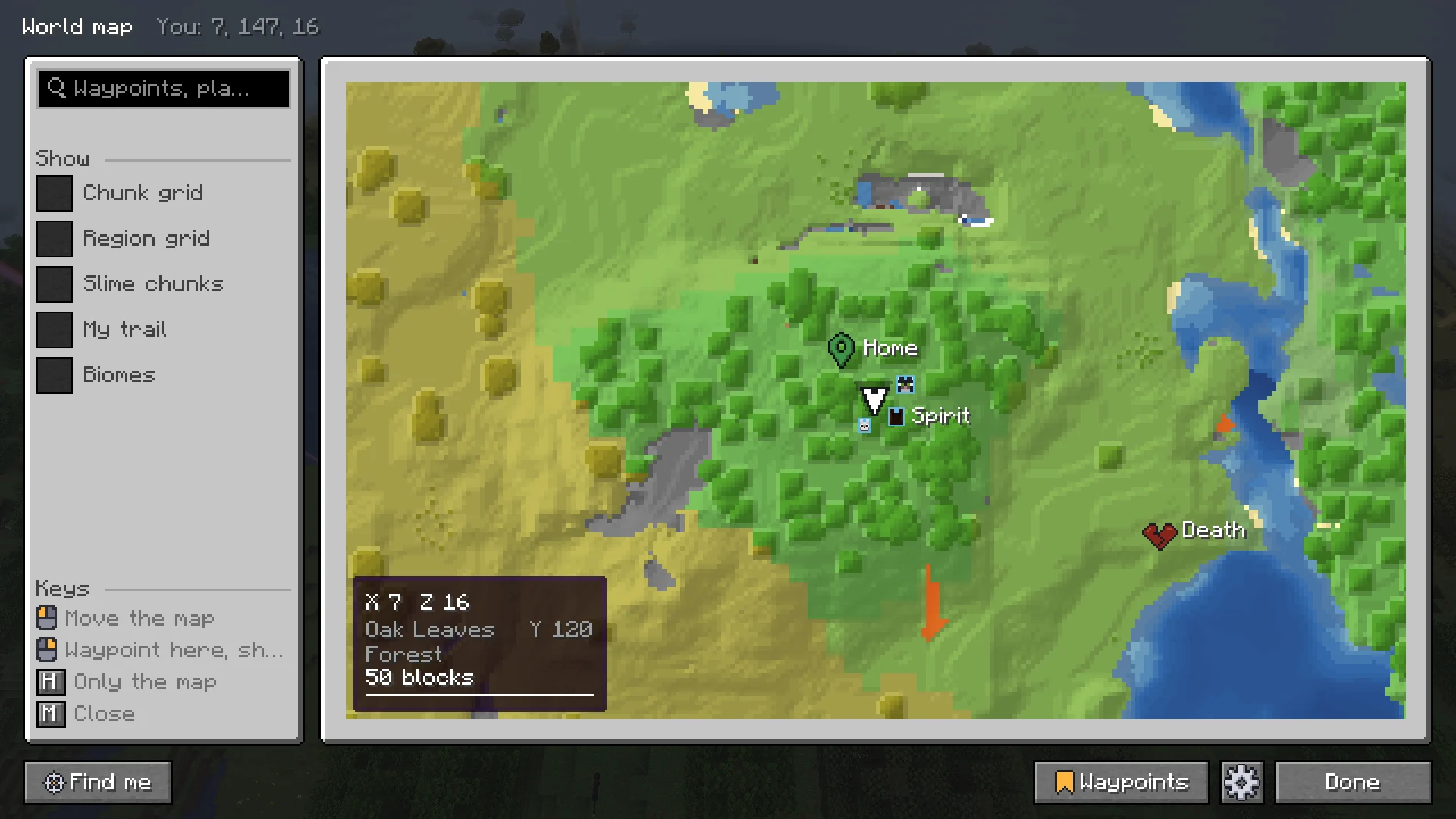
The world map

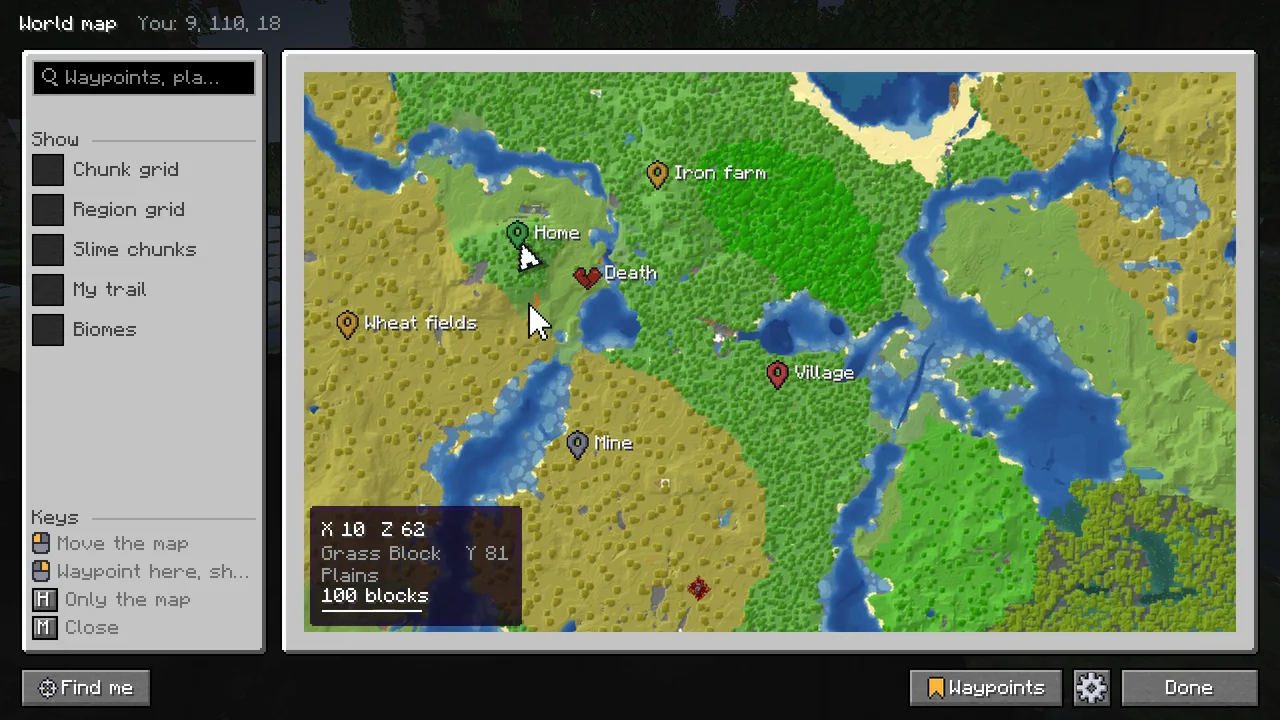
M opens it, growing out of the minimap. Drag to move, scroll to zoom towards the pointer, and it glides on when you let go. Zoomed out the ground blends softly; zoomed in, every block is a sharp square.

  • Right-click a spot for a waypoint, a place to go to, measuring a distance or sharing it in chat
  • The way to a waypoint says how far it is through the Nether, and where to go there
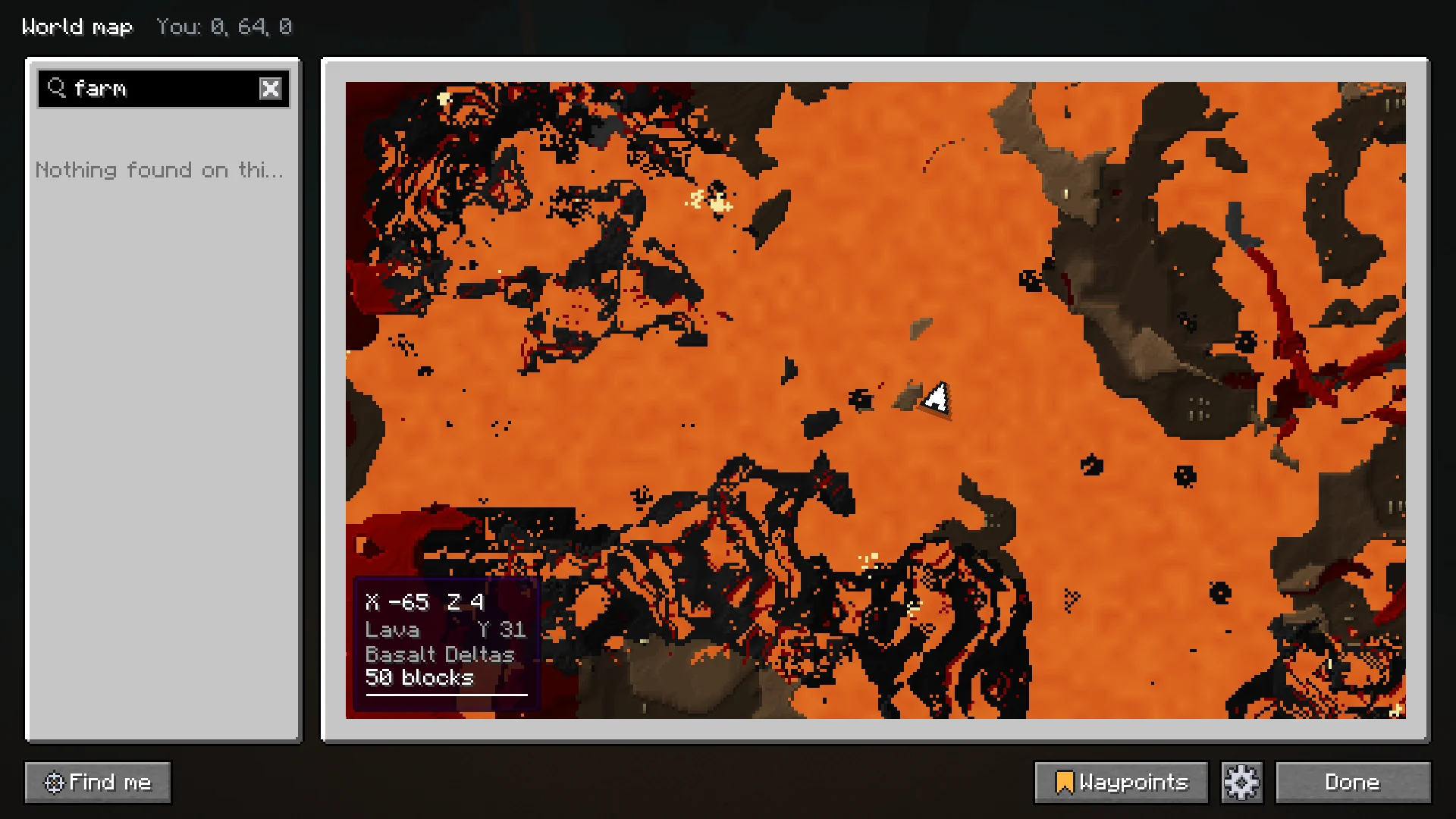
  • A biome view: each biome in a color of its kind, with its name
  • Chunk and region grids, slime chunks in your own worlds, your trail, and a measuring line
  • Save the whole map as a picture, in the background
The world map
The depth cross-section on the side of the world map, with the ores of each depth

Under the ground

On the map's side, a cross-section of the world drawn from the blocks found at each height, with the ores that depth has. Drag it to see the caves at any height. Underground, cave view shows the layer you are in.

  • Ores show for each depth, from what lies open in caves: never what is hidden in the rock, never where one is
  • The Nether in layers, or from on top of its roof, with everything built there
  • The End as islands floating in space
  • Works in modded dimensions and in worlds made taller by a data pack
Caves, the Nether and the End
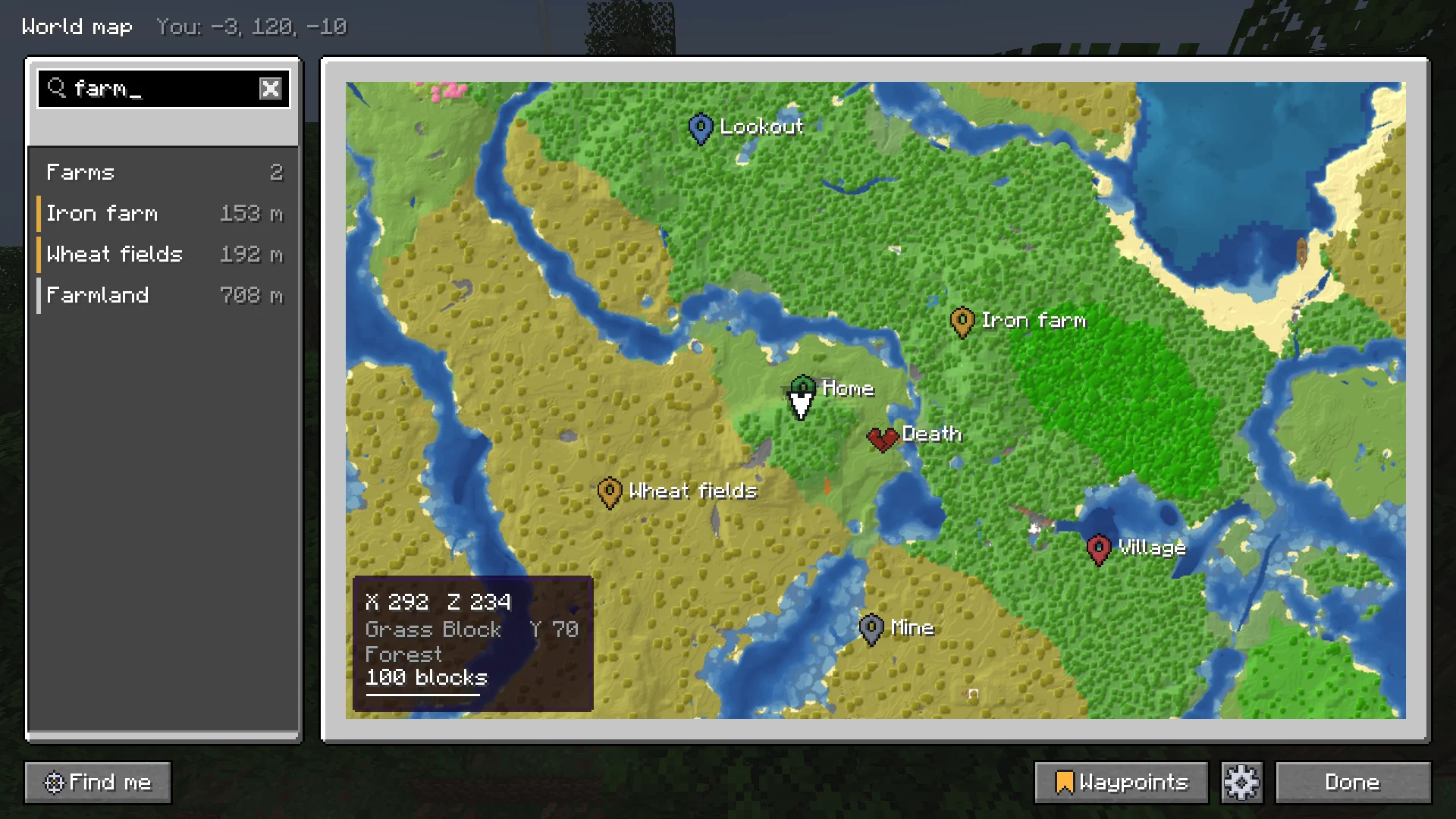
The world map search with results for waypoints, biomes and blocks

One search box

Ctrl+F on the world map finds waypoints and their groups, coordinates, biomes and blocks the map has seen, Buildprint's builds, and with Sorted the items in your chests, lit up in the world too. A result moves the map there and marks the spot.

What it finds

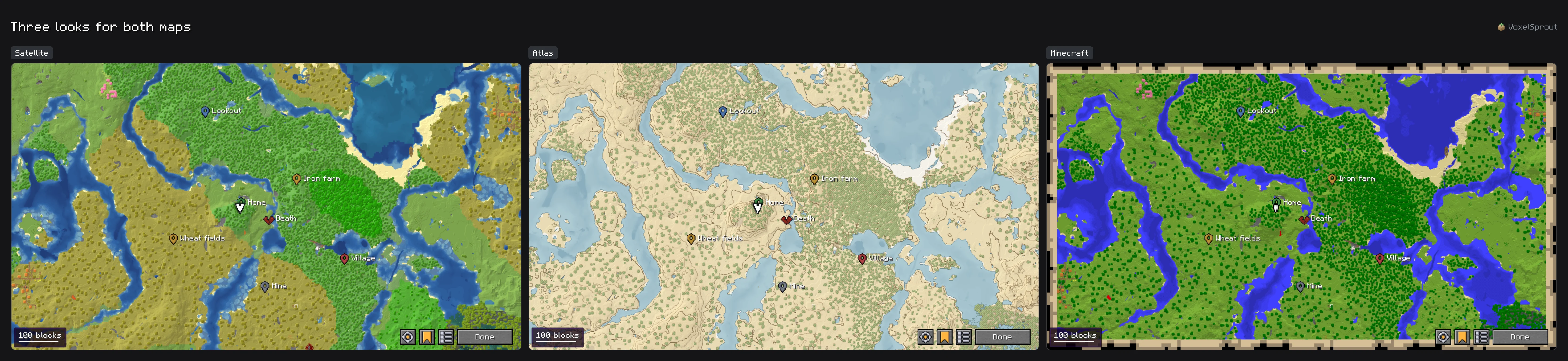
Three looks

One setting changes both maps. The walkthrough asks for it the first time, on your own map.

The same land in the Satellite, Atlas and Minecraft looks, side by side

Height shading, biome colors, water by depth and a night tint each have their own setting.

Map looks
Being led to a waypoint: its beam shows through a hill and fades on arrival

Waypoints

J marks where you stand; right-click the world map to mark anywhere else. Each waypoint has a beam like a beacon's that you can see from far away, also through water and glass and with a shader pack. Ask to be led to one and it stays on screen until you arrive.

  • Made for you: where you died, with a timer until your items despawn; where you came back; the portals you took, both sides linked
  • From the game: banners you mark on a map you hold, the lodestone your compass points to, and with Waystones every waystone you've activated
  • Groups you show or hide at once, a beam per waypoint, and waypoints that go once you reach them
  • A list to search and sort, nearest, by name or by group
  • Backspace deletes the one you look at, and chat offers an undo

Shared in chat

Share a waypoint and chat gets a line anyone can read: Base: 100 64 -20 (nether, #d24c4c). A friend with Charted saves it with one click, with its name, dimension and color.

  • Coordinates however they are typed turn into a click: save them, go there, or see the place on the map
  • Waypoints shared by Xaero's Minimap and JourneyMap save with one click too, and Charted can share in their form
  • Text the server made clickable keeps its own action
Sharing in chat

Try a line. This reads it the way the game does:

<Alex> Base: 100 64 -20 (nether, #d24c4c)
  • Base
    X
    100
    Y
    64
    Z
    -20
    in the
    Nether
    Charted's share
Players, a tamed horse with its name and a few mobs on the world map

What's around you

Players, and if you like mobs, on both maps. Each one shows as its own face, from its own skin, so resource packs and other mods' mobs look right.

  • Tamed animals and mounts always show, with a blue edge and their name, apart from the wild ones
  • Choose beside Hostile mobs and Other mobs lists every mob, with a search
  • Calm: a herd is one head, mobs far above or below you are left out, and zoomed out only what matters stays
  • Far players show as their heads on the minimap's edge, as the locator bar shows them
  • A server's NPCs are told apart from real players by a gold edge
The radar

Switching from another map mod

What you made with another map mod comes along. Charted only reads the other mod's files, never changes them, and never covers what it mapped itself.

  • Xaero's MinimapWaypointsEvery world at once, single-player and servers. Also files a friend sent.
  • JourneyMapWaypoints and mapsWaypoints for every world at once; the map of the world you are in.
  • Xaero's World MapMapsThe map of the world you are in, every dimension.
  • BobbyMapsThe chunks Bobby kept of the world you are in.
  • Distant HorizonsGround you have not seenFills the map past your view, a little paler, while it is installed.

From the settings, or /charted import waypoints and /charted import maps. In single-player Charted can also map the whole world from its save, including where you went before installing it.

How to switch
BuildPrint logo

With Buildprint

Its builds show on both maps with their name and how far along they are, and the search finds them.

Sorted logo

With Sorted

Your storage shows on both maps, and the map's search finds the items in your chests and lights them up.

And more

Waystones become waypoints, beams stay right with shader packs, and other mods can add marks through Charted's API.

Nothing on the server

Charted runs on your client only, so it works on vanilla servers and Realms.

A map per world

Several worlds behind one address each get their own map, told apart by the world's age, its spawn and its bedrock. When it can't be sure, Charted asks instead of mixing two maps.

Follows the rules

It follows what a server set up for Xaero's Minimap and JourneyMap, such as no cave view or no radar, says in chat and in the settings what the server turned off, and stays off on servers whose rules don't allow minimaps, starting with Hypixel.

Servers

Keys and commands

In the game

KeyAction
MWorld map (and closes it again)
[or]Zoom the minimap out and in
ZEnlarge the minimap, while held
JAdd a waypoint here
BackspaceDelete the waypoint you look at
not setShow or hide the minimap
not setWaypoint list
On the world map
Key on the world mapAction
DragMove the map; it glides on when you let go
WASDMove the map, as the arrow keys do. Hold Shift to go faster
ScrollZoom towards the pointer
+or-Zoom in and out on the middle
SpaceFind me
Ctrl+FSearch
TSearch (the chat key)
EnterIn the search: go to the first result
Right clickWaypoint here, go here, measure, share, save as a picture
HThe map on its own, without the column
Page UporPage DownThe layer above or below, with cave view on
EscStop measuring, or close the map
MClose the map

Change them in Options, Controls, under Charted.

Commands

  • /chartedEvery command, clickable. /charted help does the same.
  • /charted configThe settings, with or without Mod Menu.
  • /charted reset [part]Puts the settings back to their defaults: all of them, or one tab, such as minimap. The way back when a setting made a screen hard to use.
  • /charted waypointsThe waypoint list.
  • /charted import waypointsBrings waypoints over from Xaero's Minimap and JourneyMap, for every world at once.
  • /charted import mapsBrings maps over from Xaero's World Map, JourneyMap and Bobby; in single-player, maps the world from its save.
  • /charted import file [path]Opens the file dialog for a waypoint file, or takes its path.
  • /charted export [blocks per pixel]Saves the map you are in as a picture, in screenshots/charted. A number gives more blocks per pixel.
  • /charted onboardingThe first-start walkthrough again.
  • /charted reportReport a bug or ask for a feature, from in game.

Install

What you need

Minecraft
26.1 to 26.3, or 1.21.1 to 1.21.11
Fabric Loader
With Fabric API, on every version
NeoForge
26.1.2 to 26.3
Fabric API
On Fabric
Mod Menu
Optional, for the settings in the mod list
Server
Nothing needed

In English, Dutch, French, German and Russian.

Steps

  1. Install Fabric Loader or NeoForge for your Minecraft version.
  2. Download Charted from Modrinth or CurseForge: the file for your Minecraft version and loader. On Fabric, Fabric API too.
  3. Put the files in your mods folder and start the game.
  4. Join a world: the walkthrough asks how much the minimap should show. Press M for the world map.

Supported versions

Minecraft 26.x

  • 26.1
  • 26.2
  • 26.3
Fabric: With Fabric API
NeoForge: Nothing else needed. On 26.1 from 26.1.2

Minecraft 1.21.x

  • 1.21.1
  • 1.21.2
  • 1.21.3
  • 1.21.4
  • 1.21.5
  • 1.21.6
  • 1.21.7
  • 1.21.8
  • 1.21.9
  • 1.21.10
  • 1.21.11
Fabric: With Fabric API
NeoForge: No file

The maps, waypoints and radar are the same on every version. Before 1.21.6 the game has no locator bar, so the minimap shows no heads of far-off players there.

From the game

Taken in a real world with vanilla textures. Click one for the full size.

The world map with its column of search, layers and waypoints
The world map, with its column.1 / 9

Wiki

How each part works, with every setting and its default.

Open the wiki

Questions

Where do I download it?

On Modrinth and CurseForge. Each Minecraft version and loader has a file of its own: take the one for yours. See Getting started.

Does the server need it?

No. Charted runs on your client only, so it works on vanilla servers and Realms.

What about servers with several worlds behind one address?

Charted tells them apart by what it sees (the world's age, its spawn, its bedrock) and by the world ids servers send for other map mods, so each gets its own map. When it can't be sure, it asks instead of mixing two maps. See Servers.

Will it get me in trouble on a server?

It follows what a server set up for Xaero's Minimap and JourneyMap, such as no cave view or no radar, and says in the settings what the server turned off. On servers whose rules don't allow minimaps, starting with Hypixel, it stays off unless you take the server off that list.

Each server has its own rules. When in doubt, read them or ask the staff.

Does it slow the game down?

Charted maps on threads of its own, next to the game, and sends the map to the screen a little at a time. Map memory under Storage sets how much of the map it keeps in memory, from 64 to 2048 MB, 256 MB by default.

I used Xaero's Minimap or JourneyMap. Do I lose my waypoints?

No. Waypoints from Xaero's Minimap and JourneyMap come over for every world at once, and maps from Xaero's World Map, JourneyMap and Bobby without covering what Charted mapped itself. Their files are only read, never changed. See Switching from another map mod.

Charted is made by one person. Bugs and ideas are welcome on Discord, or with /charted report in game. Use it in any modpack and show it in any video, monetized or not; no need to ask.