Container filters
Say what goes in a chest, barrel or shulker box, so Quick Stack sends it there even while it is empty.
New in Sorted 0.1.45.
Quick Stack sends an item to the chest that already holds it. A filter lets it do that from the start: set up a few empty chests as wood, redstone, food and everything else, press Pull All on the messy chest, then Quick Stack, and everything goes to its chest.
Set one up #
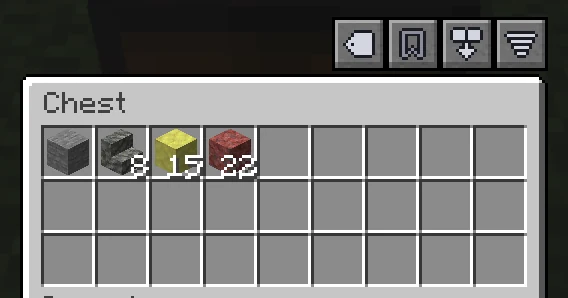
- Open a chest, barrel or shulker box. Above it, on the right, is
 , left of Pull All and Sort. Click it.
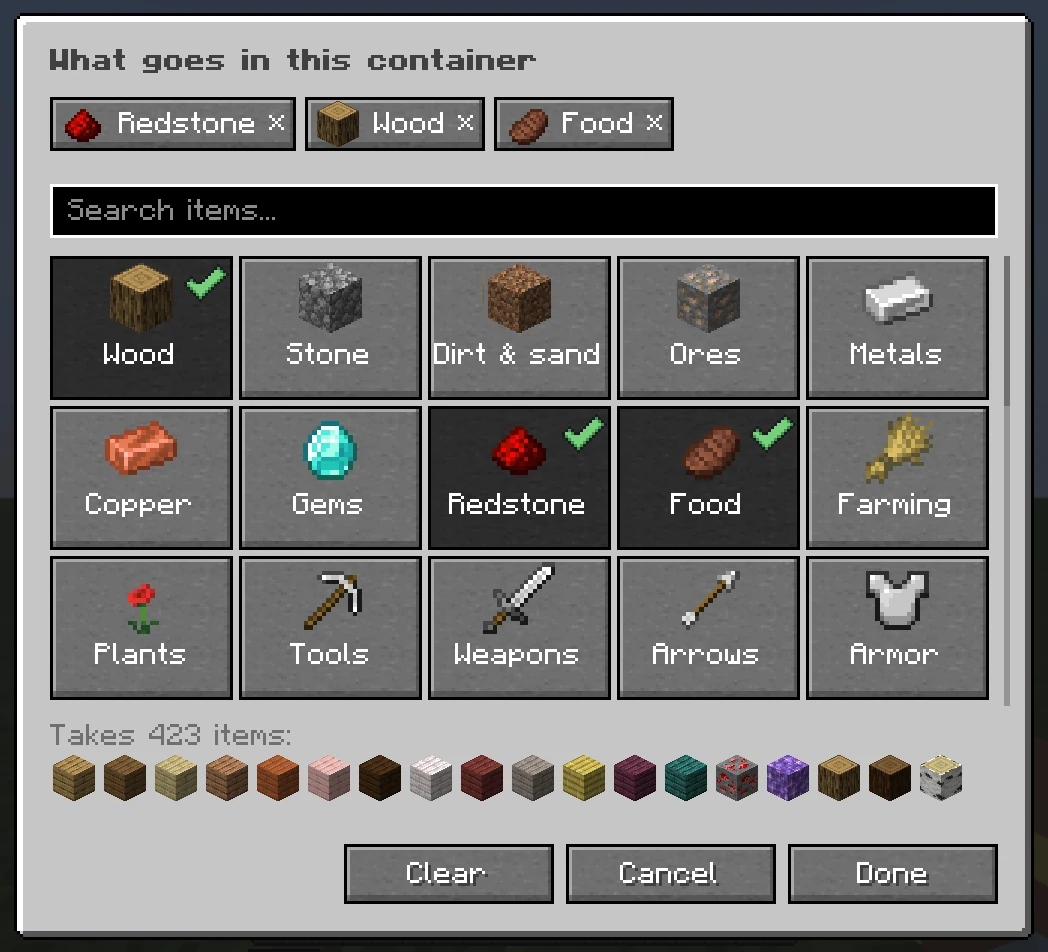
- Click the pictures of what goes in: Wood, Redstone, Food, or Everything else. Click one again to take it out.
- Press Done.
- Do the same for a few more chests, then open your inventory near them and click Quick Stack.
Point at to see what the container takes now. Once your world has a place, the places button sits beside it. See Places.
In the screen, what it takes is the row of chips at the top, and the items under Takes at the bottom. Click a chip to take it out, or Clear to start over. Cancel leaves the container as it was.
The pictures #
Under Kinds of things, each tile is a group of items. Point at one for what it holds.
| Tile | Takes |
|---|---|
| Wood | Logs, planks and wooden blocks, of every wood and every mod. |
| Stone, Dirt & sand | Stone, cobblestone, deepslate; dirt, grass, sand, gravel, clay. |
| Ores, Metals, Gems, Mining | Ores and raw metals; ingots and nuggets; diamonds, emeralds and netherite; or all of those at once. |
| Redstone | The Redstone Blocks tab: dust, repeaters, pistons, observers, hoppers, rails. |
| Food, Farming, Plants | Food and drinks; seeds, crops, saplings and bone meal; flowers, leaves and other plants. |
| Tools, Weapons, Armor, Arrows | Pickaxes, axes, shovels, hoes, shears; swords, bows, tridents, maces, shields; armour, elytra, horse armour; arrows of every kind. |
| Mob drops, Potions, Enchanting | Bones, string, gunpowder, pearls; potions and what you brew them from; enchanted books, lapis. |
| Building, Glass, Wool, Concrete, Terracotta, Copper | The Building Blocks tab, and the families of blocks builders keep apart. |
| Nether, The End, Ocean, Ice & snow | What each place gives you. |
| Lights, Dyes, Doors, Signs, Beds, Banners, Heads | Torches, lanterns, candles; and the rest by name. |
| Travel, Fuel, Music, Shulkers, Templates, Sherds, Spawn eggs | Boats, minecarts, saddles; coal and charcoal; discs and jukeboxes; and the rest by name. |
| Everything else | Whatever no other container nearby is for: the odd ones, and what does not fit in a full chest. See A chest for everything else. |
Below them, under From your mods, each content mod you have installed gets a tile of its own, such as everything from Create, and a mod with several creative tabs gets one for each. Nothing to set up: it follows what is installed.
One item, or a word #
Type part of a name in the search box. The pictures turn into the items that match, with a wide tile on top, All "copper", that adds exactly those. Click one picture to add only that item. When the word also means a group, a tab or a mod, a second tile beside it adds that instead.
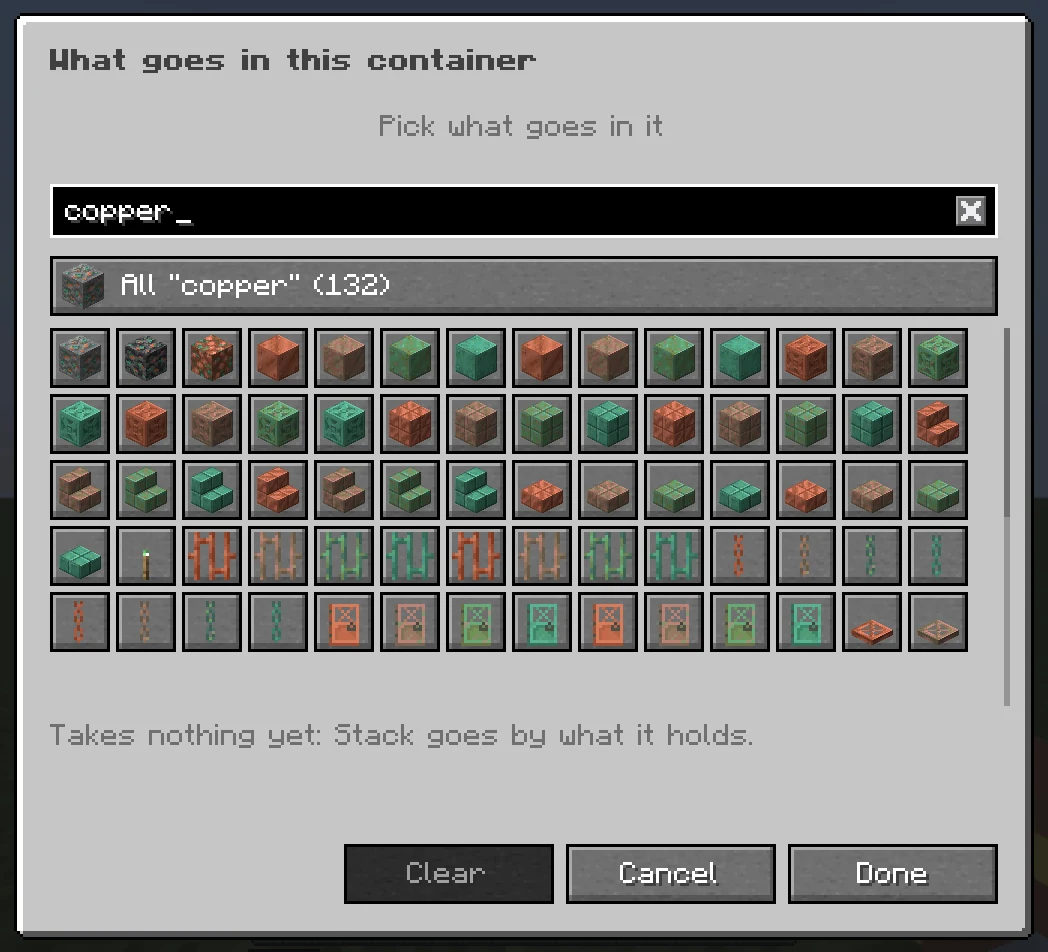
Press Enter and the word is added as you typed it. Words work in your own language: Holz, bois and дерево are wood too. More than one goes with commas.
| You type | The container takes |
|---|---|
redstone | All the redstone things, the same as the tile. |
"Redstone Dust" | Only Redstone Dust. Quotes mean that item and nothing else. |
chestplate | Every item with that word in its name, modded ones too. |
@create | Everything from a mod. |
#planks | An item tag. |
diamond_* | A pattern: everything whose name starts with Diamond, not Diamond itself. |
redstone, -tnt | A minus leaves something out. |
misc | Everything else: the catch-all. |
Wildcards, regex and more #
Plain words cover most chests. To be exact, type one of these marks in the search box and press Enter. If you play with JEI, REI or EMI, you know most of them already. They work in anvil names too.
| Mark | Means | Examples |
|---|---|---|
"..." | Exactly that item, by its full name. | "Redstone Dust", "Oak Planks" |
* | Any letters: a wildcard. | diamond_*, *_planks, *glass* |
? | One letter, or none. | colo?r* finds color and colour |
/.../ | A regular expression, found anywhere in the name or the id, case ignored. | /^(iron|gold)_ingot$/, /_(sword|axe)$/ |
@ | A mod, by its id or name. The start is enough. | @create, @farm |
# | An item tag, by its full id or only its name. | #c:ingots, #minecraft:logs, #ingots |
$ | A creative tab, by its id. | $minecraft:combat |
mod:item | One item, by its id. | minecraft:redstone |
- or ! | Leave this out. It beats everything else in the filter. | -redstone_ore, !tnt |
item="Name" | That item, renamed so in an anvil. Without the item, anything named so. | minecraft:gold_nugget="Coin", ="Coin" |
- Wildcards match the whole name or id:
diamond_*is Diamond Sword, Diamond Pickaxe and the rest, but not Diamond itself. Underscores and spaces are the same, sodiamond *works too. With a mod in front, they match ids:create:*_casingis every Create casing. - Regular expressions go between slashes and are tried on the name as shown, the id (
minecraft:iron_ingot) and the id without the mod (iron_ingot). Commas and bars inside the slashes belong to the expression. One that does not work shows as finding nothing. - Potions and enchanted books are found by what they hold:
night visiontakes the night vision potions, splash, lingering and arrows,mendingthe books with Mending. - A filter of only exclusions takes everything else:
-createtakes all that is not from Create. - Separate terms with commas.
;,/,&,+and|work too, so a chest named "Planks & Logs" reads as two.
Put together:
| Filter | What it is for |
|---|---|
redstone, -tnt | A redstone chest that is not also your explosives chest. |
wood, -planks | Logs and wooden blocks, with the planks in a chest of their own. |
@create, -#c:ingots | Create's machines and parts, its metals elsewhere. |
ores, metals, valuables | Everything you bring back from mining. |
/_(sword|axe)$/ | Every sword and axe, from every mod. |
*_shulker_box, shulker_box | Every shulker box, dyed or not. |
trash, -diamond_* | A chest for everything else that never takes diamond gear. |
Renamed items #
With nothing typed, the screen starts with In your inventory: what you carry, renamed things first. Click the gold nuggets you named "Coin" and that chest takes your coins, and no plain gold nuggets. A renamed item goes to the chest that names it before any other.
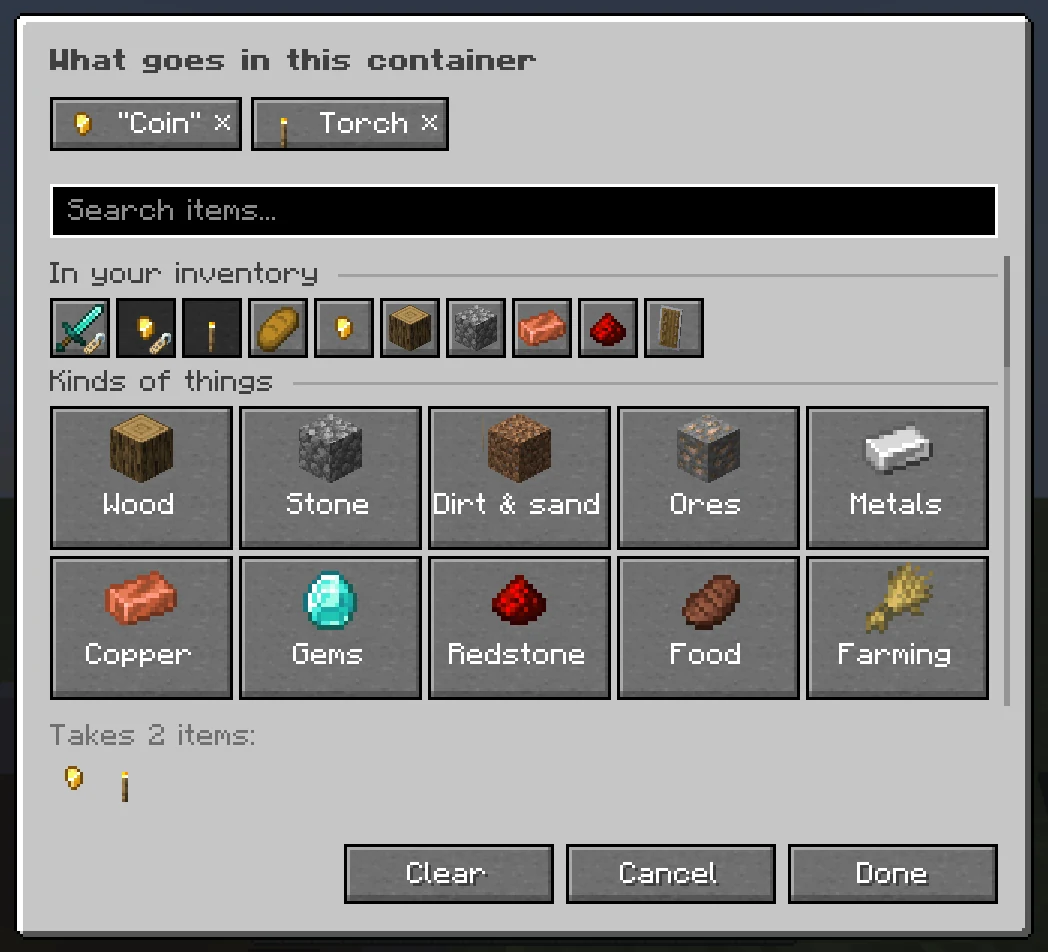
Set a key for Sorted: Add to This Container's Filter, under Inventory in the game's Key Binds. With a container open, point at an item, in the container or in your inventory, and press it: the item goes into that container's filter, or comes out again. The line above your hotbar says which. It has no key until you set one.
Anvil names #
A container you renamed in an anvil takes what its name says, without opening any screen. A shulker box named "Rockets" fills with rockets when you Quick Stack at your farm. Sorted only reads a name where every word means something, so ordinary names stay names:
| Name | Read as a filter? |
|---|---|
| Redstone, Rockets, Food / Combat, Planks & Logs | Yes. |
| Create | Yes: everything from the Create mod. |
| Misc, Overflow, Sonstiges | Yes: a chest for everything else. |
| Holz, Rüstung | Yes: the same groups, in other languages. |
| Trash, Junk, Müll | No. Such a chest often feeds a lava bin. Pick Everything else with if you mean it. |
| Steve's junk, Chest 2, Loot, Base | No: the name as a whole means nothing. |
- A filter you pick with comes before the name. The screen of a named container shows how the name was read.
- Turn it off with Container names say what goes in them, under Container filters in the Moving items tab.
- If you had Sorted before 0.1.45, it starts off and Sorted asks you once, so chests you named long ago do not start refusing things.
A chest for everything else #
A container with Everything else (or misc, other) takes what no other container nearby is for, and what does not fit in an item's own chest once that is full. With one nearby, Quick Stack empties your inventory of everything but the hotbar and what you keep. It never takes what another chest is set up for.
Which chest gets the item #
When more than one filter takes an item, the one that names it most closely wins: the item under its anvil name, then the exact item, then a pattern, words in its name, a tag, a creative tab, a mod, and last the chest for everything else. When that chest is full, the rest goes to the next.
Say your stone is in a chest you sorted by hand, and another has the Building tile. The stone stays where it is: a broad filter only gets what does not fit in the chest that holds it, while one that names the item, such as "Stone", wins. A filter or a chest that holds it changes that.
What a filter does not do #
- It only steers Sorted. You, other players and hoppers can still put anything in the container.
- Kept items, protected items and your hotbar still stay with you. A filter says where an item goes, not whether it leaves. See The keep list.
- Sort inside the chest is the same as ever: the filter decides which chest, the sort decides the layout.
- Filters are kept on your computer, so a friend on the same server does not see yours. Anvil names everyone sees.
- Break a chest and put another in its place, and it has the same filter. Clearing what Sorted remembers keeps your filters.
An empty container with a filter and no name shows its filter as its label, so it already says "redstone". Search for an item none of your chests hold and Find Items tells you which container is set up for it.
Settings #
- Container names say what goes in them default On
- A container renamed in an anvil takes what its name says. Off for players who had Sorted before 0.1.45, until they say yes.
- A filter or a chest that holds it default Exact filters win
- Exact filters win: a filter naming the item comes first, a broad one only gets the overflow. Every filter wins, or The chest that holds it wins.
- Filters keep other items out default On
- A container with a filter takes only what its filter takes, even what is already inside. Off, it also takes what it already holds.
- Catch-alls take the overflow default On
- A chest for everything else also takes what does not fit in a full chest. Off, only what has no chest of its own.
- Stack brings what a filter names default On
- Quick Stack into an open chest with a filter also moves what the filter names, not only what the chest already holds.
- What goes in it default On
- Under Inventory buttons in the Sorting tab. Off hides ; filters and names keep working.
Next, you may want to
Something missing or wrong on this page? Say so on Discord.