
The tree picker
Choose a species and set its age, size, setting, wind, wood and leaves.
J opens the picker anywhere in a world. The middle column holds the species in their groups: temperate, boreal, wetland, dry, tropical, understorey, worked, bonsai and dead. Hover a card to turn the tree. On the right is the 3D preview of the tree you set up. The left column has four pages: Tree, Look, Shape and More.
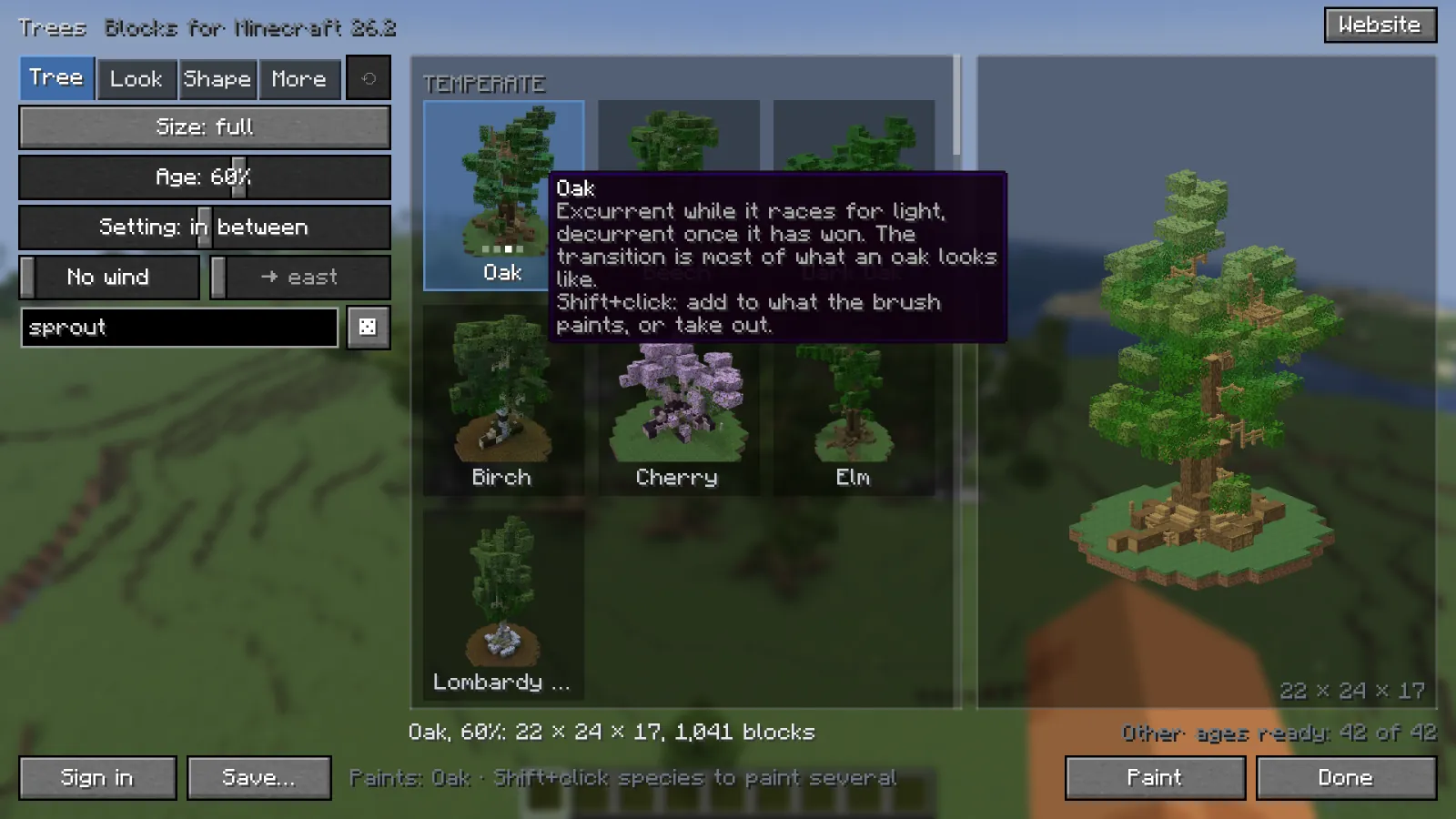
Tree #
- Size default full
- Full, or small. Small builds the species at the size of a vanilla tree. It is its own build, not the full one shrunk.
- Age default 60%
- Drives height, thickness, spread and the roots together.
- Setting default in between
- Forest-grown, in between or open-grown. In a forest a tree grows tall and narrow and drops its lower branches. In the open it stays shorter, spreads and branches low.
- Wind default No wind
- Bends the trunk and every branch downwind, and thins the crown on the windward side. The arrow next to it sets where the wind blows to; the crown trails that way.
- Seed
- Type one, or roll a random one with the dice. The same seed and settings always give the same tree.
Look #
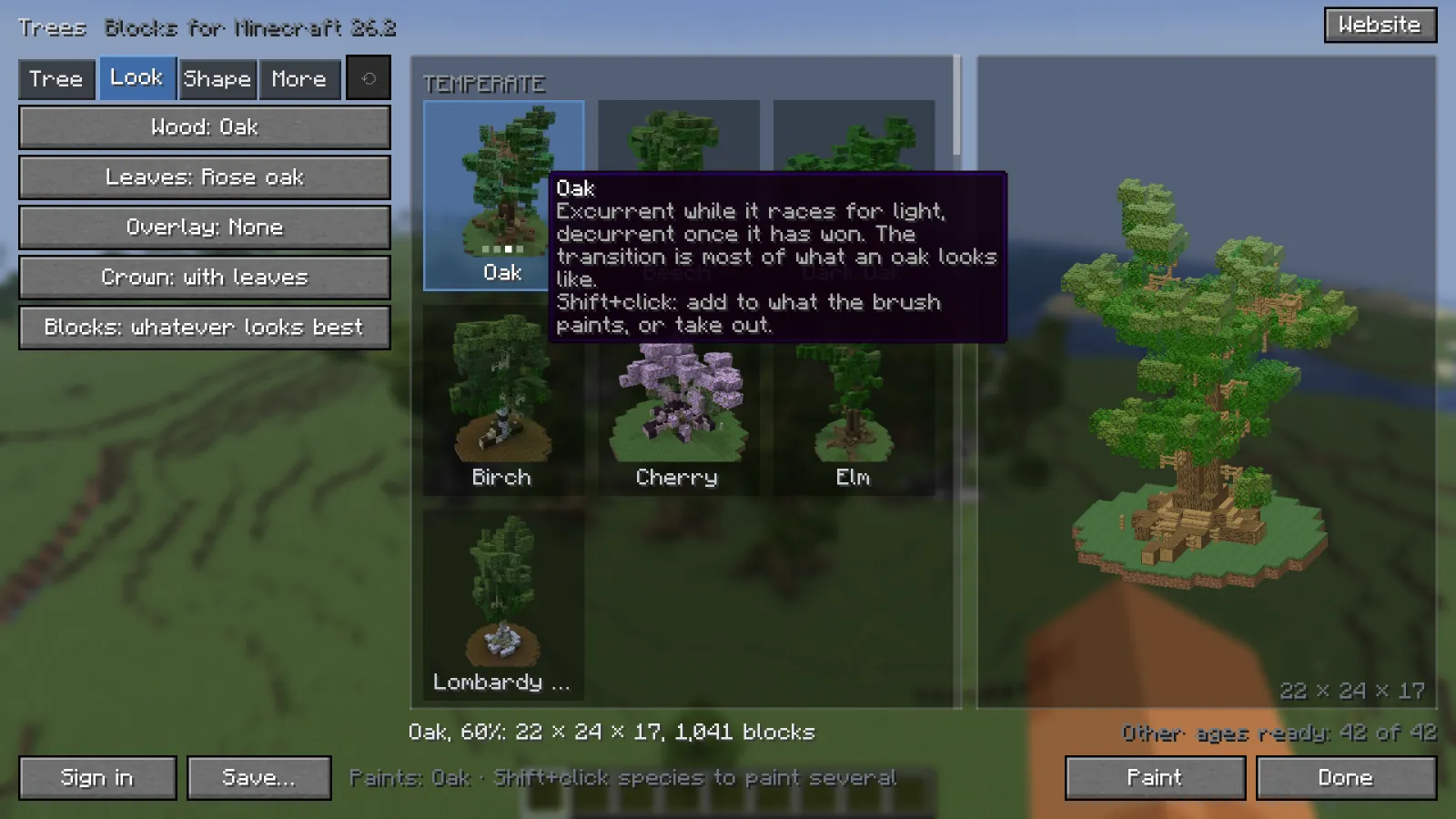
- Wood
- The wood palette. Starts at the species' own.
- Leaves
- The leaf palette. Starts at the species' own.
- Overlay default None
- Snow, moss or blossom laid on the upward faces of the crown.
- Crown default with leaves
- With leaves, or bare wood: a winter tree, or a look at the branches.
- Blocks default whatever looks best
- Placeable by hand uses only blocks a player could put there in survival: no open trapdoors held in mid-air, no plants on faces that would not hold them.
At the bottom #
- Save... keeps the tree under a name. See Saved trees and account.
- Sign in links a VoxelSprout account.
- Website opens the same tree in the tree generator.
- Paint starts paint mode with this tree. Shift+click other species first to paint a mix.
- The round arrow at the top, Reset to species, goes back to the species' own wood, leaves, shape and settings. It keeps the age and size.
| Key | Action |
|---|---|
| Click | Show that species |
| Shift+Click | Add the species to what Paint plants, or take it out |
| Hover | Turn the tree in its picture |
| DragorScroll | Turn / zoom the 3D preview |
| Right click | Delete a saved tree |
 Right click
Something missing or wrong on this page? Say so on Discord.