
Paint mode
The free camera, the brush card and the tool bar.
K starts and leaves paint mode, or Paint in the picker. The camera flies free over the land. The hand and the survival HUD are hidden, and the paint HUD takes their place.
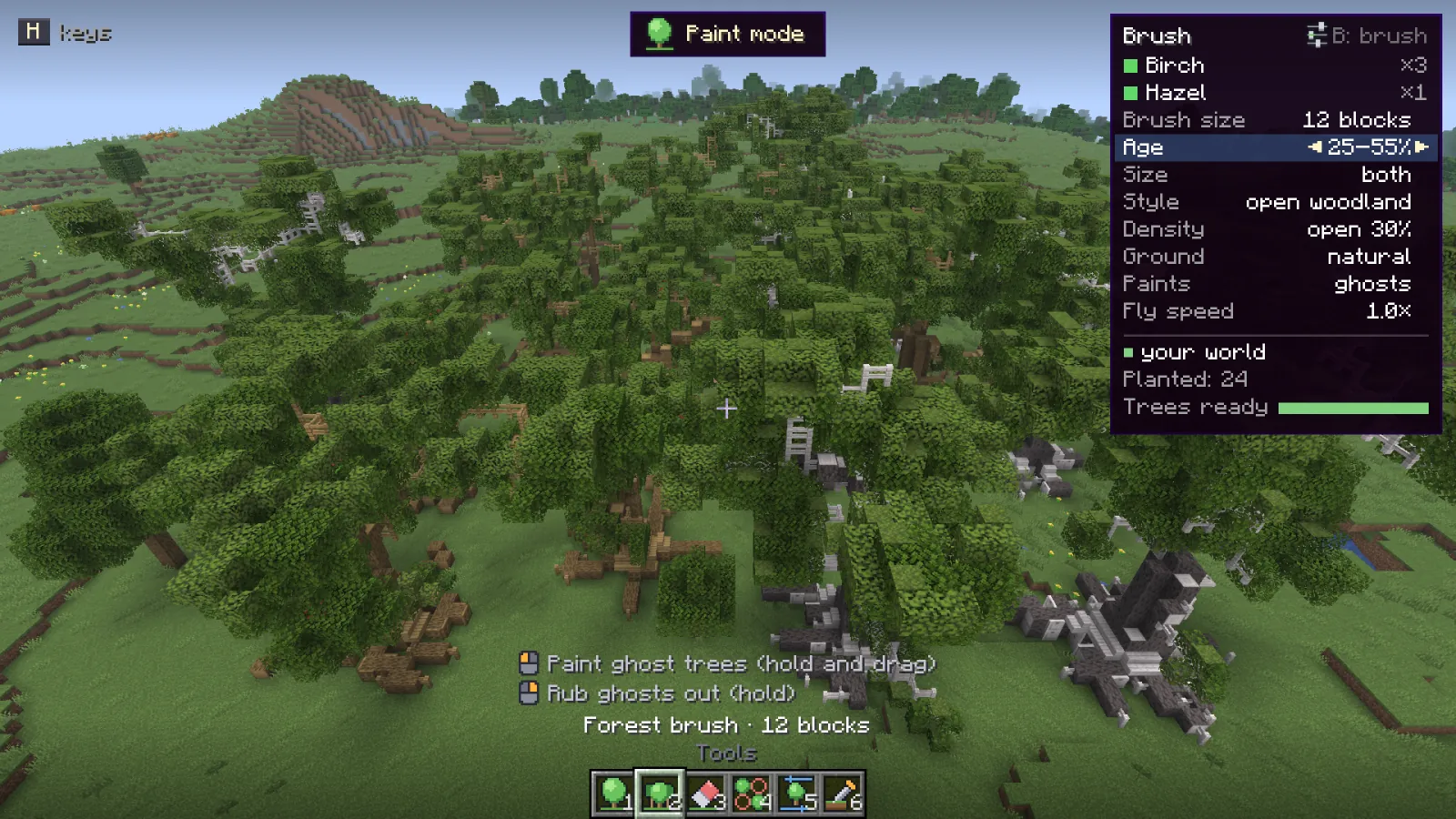
What is on screen #
- The banner at the top says you are painting.
- The brush card on the right shows the species with their shares and the main settings, how blocks are placed, how many trees you planted, and how many trees are ready.
- The tool bar at the bottom shows the six The six tools, with what the mouse buttons do above it.
- The key card: H shows or hides every key.
Changing the brush without a panel #
The arrow keys work on the brush card: Up and Down pick a row, Left and Right change it. That covers brush size, age, size, style, density, ground, ghosts or at once, and fly speed. Everything else is in the The brush panel.
Pointing through trees #
The crosshair looks through leaves, logs, fences, walls, gates and trapdoors, and through every block of a tree you planted this session, so you can point at the ground under a canopy.
Keys #
| Key | Action |
|---|---|
| 1to6 | Pick a tool: one tree, forest brush, eraser, thin out, swap a ghost, pick ground |
| Left click | Use the tool. Hold and drag to paint |
| Right click | Turn the next tree, or rub out ghosts with the forest brush |
| Enter | Plant all ghosts |
| Backspace | Clear the ghosts |
| ZorY | Undo / redo |
| BorTab | Open the brush panel |
| H | Show or hide the key card |
| K | Leave paint mode |
| WASD | Fly |
| SpaceorShift | Up / down |
| Ctrl | Fly faster |
| Scroll | Brush size, or turn the next tree |
| [or] | Brush size |
| or | Pick a row on the brush card |
| or | Change that row: size, age, style, density, ground, ghosts or at once, fly speed |
| R | Another tree |
| C | Back to one species |
| G | The block you point at counts as ground, or no longer |
 Left click
 Right click
No paint key uses a modifier key, so they work the same on a Mac and with a trackpad. Only J and K can be changed, under Options, Controls, Wildform.
Something missing or wrong on this page? Say so on Discord.