J and K can be changed under Options, Controls, Wildform. The paint keys are fixed, and none of them needs a modifier key.
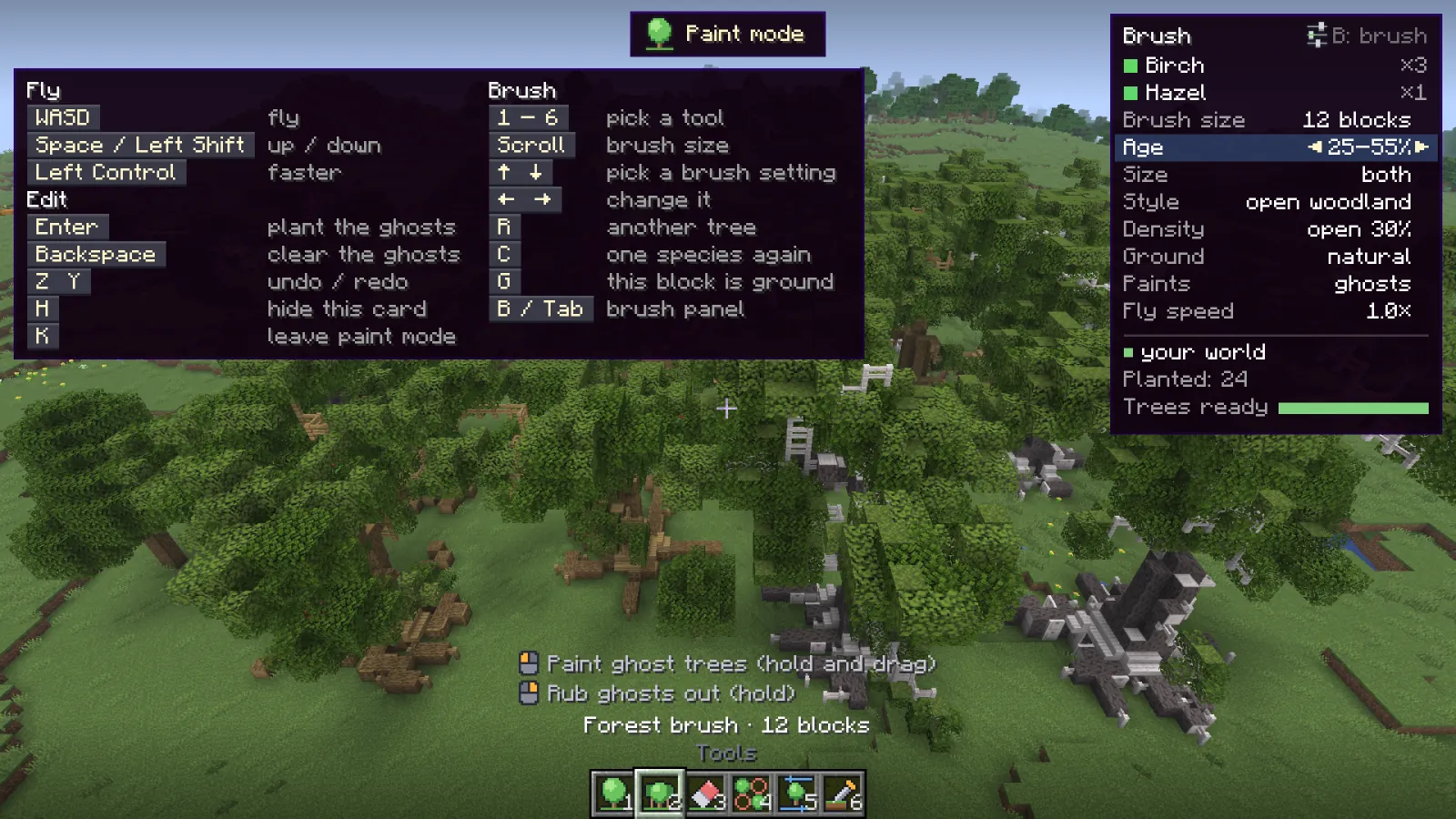
| Key | Action |
|---|
| J | Open the tree picker |
| K | Start or leave paint mode |
| Key | Action |
|---|
| 1to6 | Pick a tool: one tree, forest brush, eraser, thin out, swap a ghost, pick ground |
 Left click Left click | Use the tool. Hold and drag to paint |
 Right click Right click | Turn the next tree, or rub out ghosts with the forest brush |
| Enter | Plant all ghosts |
| Backspace | Clear the ghosts |
| ZorY | Undo / redo |
| BorTab | Open the brush panel |
| H | Show or hide the key card |
| K | Leave paint mode |
Flying and quick changes #
| Key | Action |
|---|
| WASD | Fly |
| SpaceorShift | Up / down |
| Ctrl | Fly faster |
| Scroll | Brush size, or turn the next tree |
| [or] | Brush size |
| or | Pick a row on the brush card |
| or | Change that row: size, age, style, density, ground, ghosts or at once, fly speed |
| R | Another tree |
| C | Back to one species |
| G | The block you point at counts as ground, or no longer |
| Key | Action |
|---|
| Click | Show that species |
| Shift+Click | Add the species to what Paint plants, or take it out |
| Hover | Turn the tree in its picture |
| DragorScroll | Turn / zoom the 3D preview |
| Right click | Delete a saved tree |
| Key | Action |
|---|
| Click | Add a species to the brush, or take it out |
| Right click | A bigger share for that species (x1 to x5) |
| Shift+Click | Paint only that species |
| BorTaborEsc | Back to painting |
