
Getting started
Install Charted, pick how much the minimap shows, and find your way around.
What you need #
| Minecraft | Loader |
|---|---|
| 26.1, 26.2, 26.3 | Fabric with Fabric API, or NeoForge 26.1.2 and newer |
| 1.21.1 to 1.21.11 | Fabric with Fabric API |
- Nothing on the server. Charted works on vanilla servers and Realms.
- Mod Menu is optional on Fabric: it puts the settings in the mod list.
/charted configopens them without it. - Each Minecraft version and loader has a file of its own; take the one for yours.
- In English, Dutch, French, German and Russian: every screen, setting and message. Charted follows the game's language.
Install #
- Install Fabric Loader or NeoForge for your Minecraft version.
- Download Charted from Modrinth or CurseForge: the file for your Minecraft version and loader. On Fabric, download Fabric API too.
- Put the files in the
modsfolder of your Minecraft folder and start the game. - Join a world. The minimap is in the top corner, and the walkthrough opens.
The walkthrough #
The first time you join a world, Charted asks how you like to play, a page at a time, and shows each answer on your own minimap as you pick:
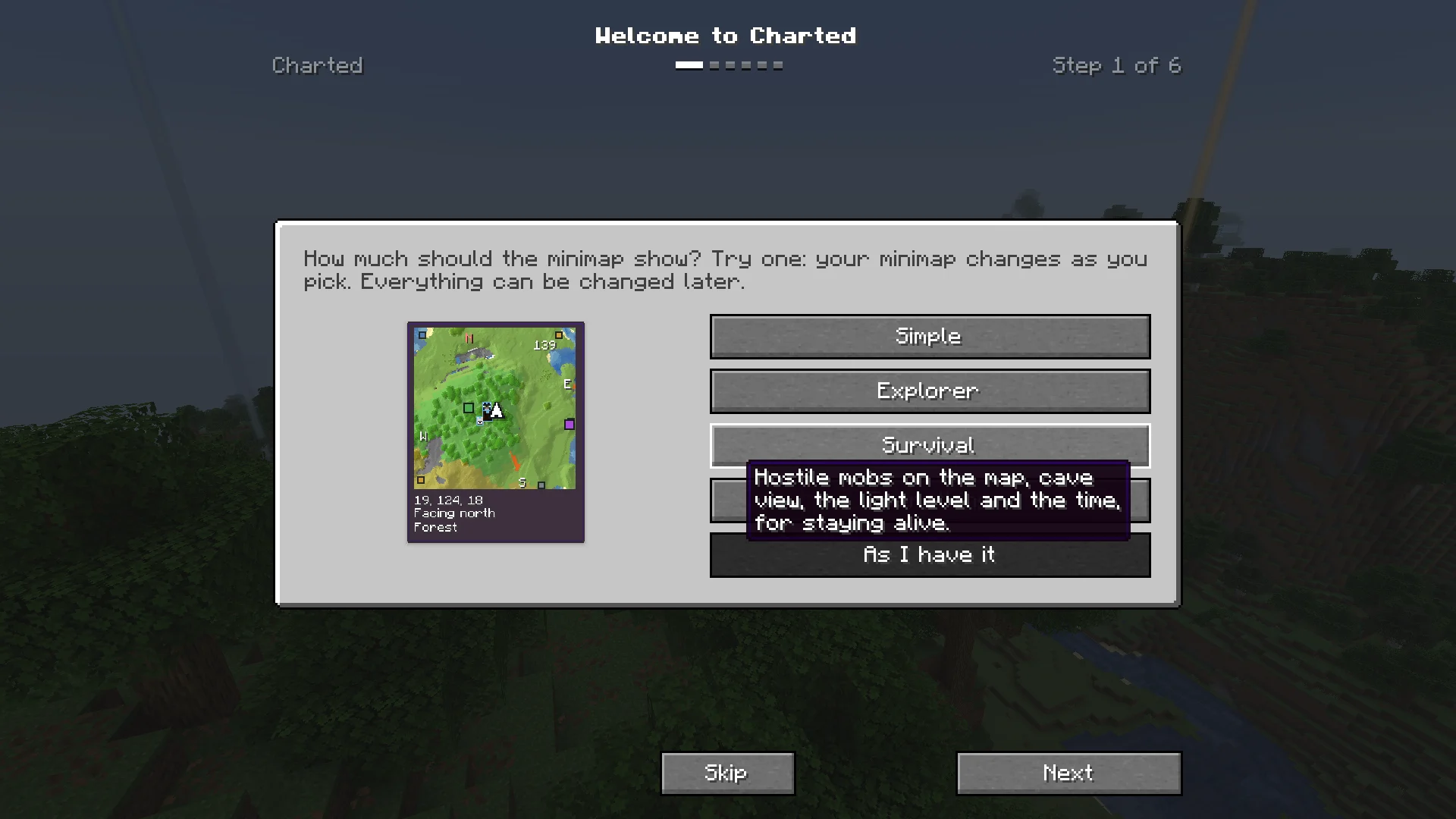
- Welcome to Charted: how much the minimap shows. Pick a preset below, or As I have it to keep your own mix.
- How the map looks: Satellite, Atlas or Minecraft, on your own map as you explored it so far.
- The minimap: Turns with me or North up, and the keys to zoom and enlarge it.
- What's around you: players, mobs and caves on your maps.
- Waypoints: how to mark a place, and what Charted marks for you.
- Your waypoints from other map mods: shown when Charted finds waypoints of Xaero's Minimap or JourneyMap on your computer. Bring them over does it.
- You're set: your keys, to change right there.
The walkthrough is shared with the other VoxelSprout mods you have. /charted onboarding opens it again.
Presets #
Four starting points, in the walkthrough and under Presets in the settings. Each sets the lines under the minimap, the radar and cave view; everything stays changeable after.
- SimpleThe map and your coordinates, nothing else.
- ExplorerWhich way you face, the biome, the other side of a portal and your speed, for traveling far.
- SurvivalHostile mobs on the map, cave view, the light level and the time, for staying alive.
- EverythingEvery line under the minimap, every mob and cave view.
Your first minutes #
- Walk around. The minimap fills in as you go, new ground fading in.
- Press M for the world map. Drag it, scroll to zoom, Space to find yourself.
- Press J to mark where you stand. Give it a name and Save.
- Press [ and ] to zoom the minimap, and hold Z to see it big.
- Type
/chartedfor every command.
A setting made a screen hard to use? /charted reset puts every setting back to its default; /charted reset minimap only that tab.
Next, you may want to
Something missing or wrong on this page? Say so on Discord.