
The world map
Open it with M: move, zoom, the column, the right-click menu, overlays and saving it as a picture.
M opens it, growing out of the minimap, on what the minimap is showing. Drag to move, scroll to zoom towards the pointer, and it glides on when you let go. Zoomed out the ground blends softly; zoomed in, every block is a sharp square.
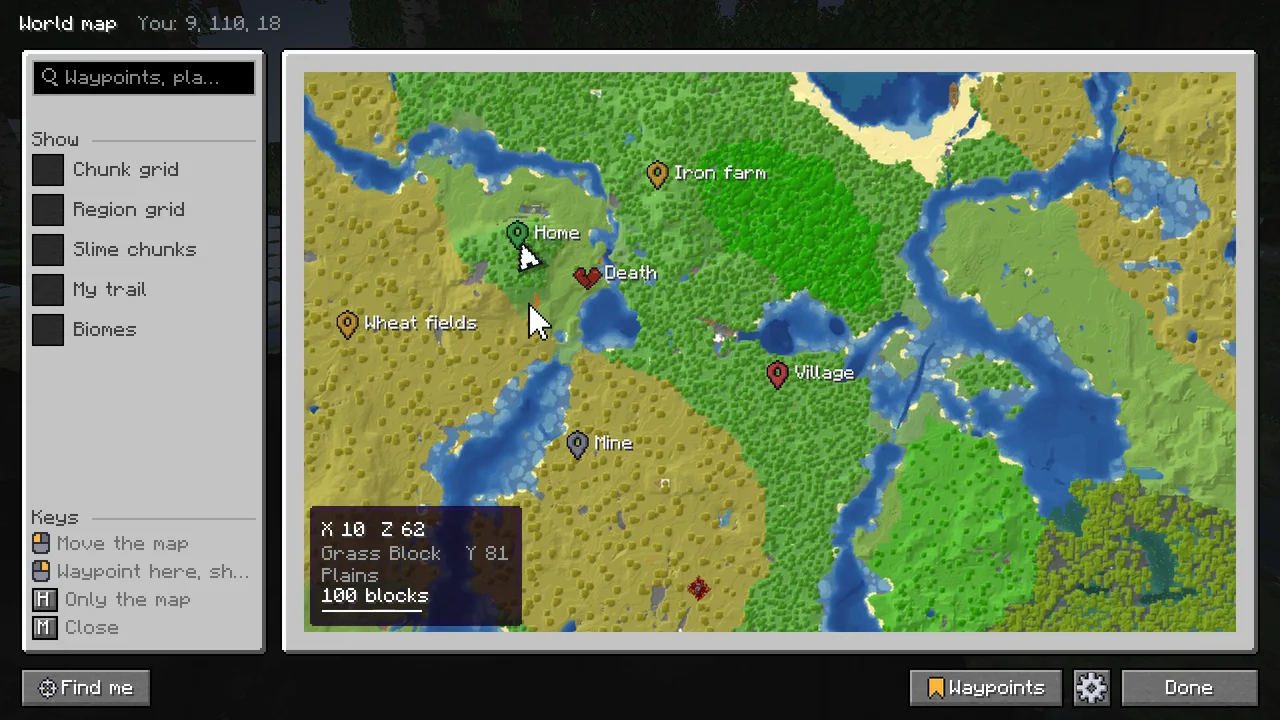
The column #
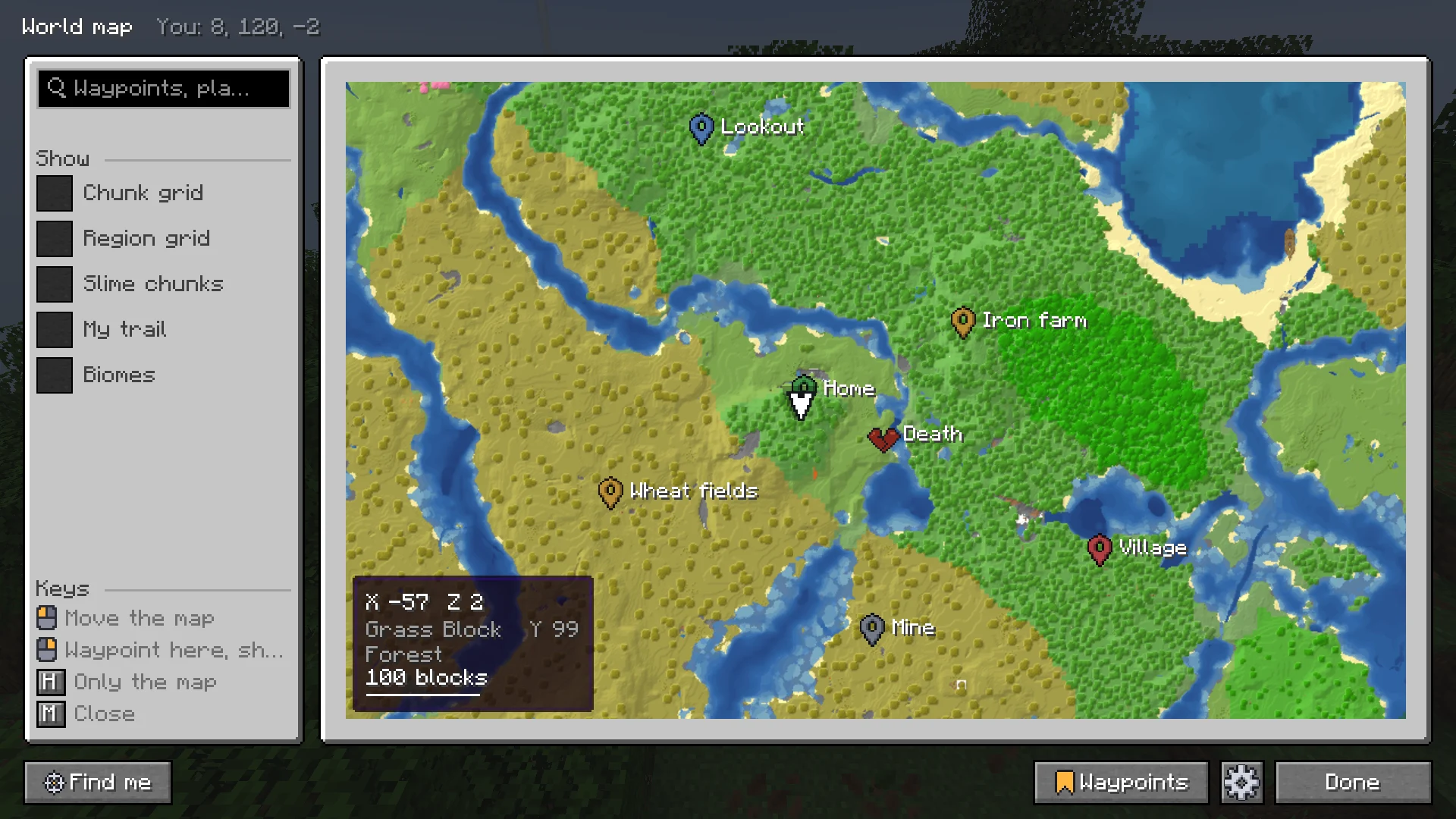
- The search at the top: waypoints, coordinates, biomes, blocks and more. See Search.
- Show: what to draw over the map (below).
- Waypoints: yours in this dimension, sorted nearest, by name or by group, the same choice as in the waypoint list.
- Dimension: the other dimensions you have been to. Switching keeps your place, an eighth of it in the Nether.
Moving around #
- Drag to move; the map glides on when you let go. W A S D or the arrow keys move it too, faster with Shift.
- Scroll to zoom towards the pointer, or + and - to zoom on the middle.
- Space finds you again. With Open on me off, the map opens where you left it.
- M or Esc closes it.
H shows the map on its own. Find me, Waypoints and a way back to the column stay as small icons in the corner.
Under the pointer #
At the bottom left: the coordinates, height and biome of the spot under the pointer, and a scale bar (Pointer info, under World map in the settings). Hover a player or a mob for who or what it is, how far, how much higher or lower, and where.
The right-click menu #
| Entry | What it does |
|---|---|
| Waypoint here | A new waypoint on that spot. See Waypoints. |
| Go here | A waypoint that goes once you arrive. |
| Teleport here | Only where you may use /tp yourself: in single-player with cheats on, as an operator, or where a plugin lets you. Charted types the game's own command for you, nothing more. |
| Share in chat | The spot as a line in chat. See Sharing in chat. |
| Measure from here | A line to the pointer with its length. Click to stop measuring. |
| Save the map as a picture | All of it, in screenshots/charted. |
On a waypoint the menu has Lead me here, Teleport here, Edit the waypoint, Share in chat, Hide and Delete. See Waypoints in the world.
Measuring #
Measure from here draws a line from that spot to the pointer, with its length in blocks. Click, or press Esc, to stop measuring.
Show #
Switches in the world map's column, for what to draw over the map. Each is remembered.
| Switch | Draws | Default |
|---|---|---|
| Chunk grid | The lines between chunks, once the map is close enough to read them. | Off |
| Region grid | The lines between the game's region files, 512 blocks apart. | Off |
| Slime chunks | The chunks where slimes spawn below Y 40. Only in a world of your own, where the seed is known. | Off |
| My trail | Where you walked lately, as a line of dots: the last 250, about a thousand blocks of walking. It stays in the world you walked it in. | On |
| Biomes | Each biome in a color of its kind, with its name on every patch big enough to hold it, for finding one you need. | Off |
With Buildprint or Sorted installed, their builds and your storage show on the map too, and other mods can add marks and areas of their own, such as claims. See Other mods.
Through the Nether #
Hover a far waypoint and its card also says how far it is through the Nether, and where to go there: an eighth of the way, at the Nether coordinates to build a portal at.
Calm as it moves #
Like a navigation app, the map shows less as you zoom out and more as you zoom in. Far out only players show, then hostile mobs, then animals. Waypoint names come and go softly, yours from further out than deaths and portals, and a name that would sit on another is left out. Everything on the map moves a whole pixel at a time, so nothing shakes while you drag.
Save it as a picture #
Right-click and Save the map as a picture, or type /charted export. The whole map of the dimension you are in goes to screenshots/charted as a PNG, as the map shows it, saved in the background a row of regions at a time; chat says when it is done and how big it came out, with Open the picture. /charted export 4 draws 4 blocks per pixel, for a map too big to save a block a pixel.
Next, you may want to
Something missing or wrong on this page? Say so on Discord.