
Container contents
See what a schematic has inside its chests, hoppers and other containers, check yours against it and fill them.
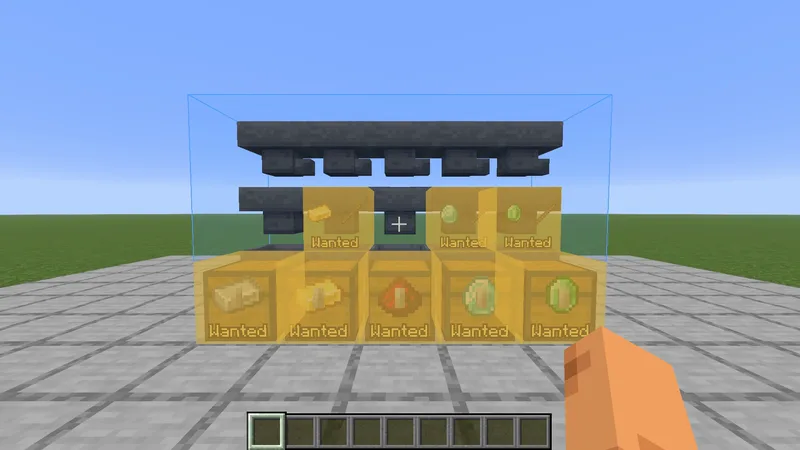
A schematic can carry what is inside its containers: the filter of an item sorter, the items of a hopper clock, the stock of a storage room. BuildPrint shows those items, compares them with what is really in the container and helps you put them in.
Which containers #
Chests, trapped chests, barrels, shulker boxes, hoppers, droppers, dispensers, crafters, furnaces, blast furnaces, smokers and brewing stands. Only containers that hold something in the schematic are shown. Ender chests are left out.
Look at a container #
With Look-at block info on, the panel shows the slots of the container you look at, with the items and counts the schematic has in them, and the comparator signal those items give.
| The panel says | Meaning |
|---|---|
| Contents not checked | BuildPrint does not know yet what is inside. Open the container. |
| Contents differ | Something is missing, too many or in the wrong slot. Those slots have an amber frame. |
| Contents matched | Only shown while you hold I. A container that matched is left alone otherwise. |
In the world #
- A container that is not known to match shows a few of the wanted items on its side, with the word Wanted. Gray means not checked, amber means the contents differ.
- A container with the wrong contents gets the amber mark of a block in the wrong state, and counts as not finished.
- Once a container matches, the label and the mark go.
Open a container #
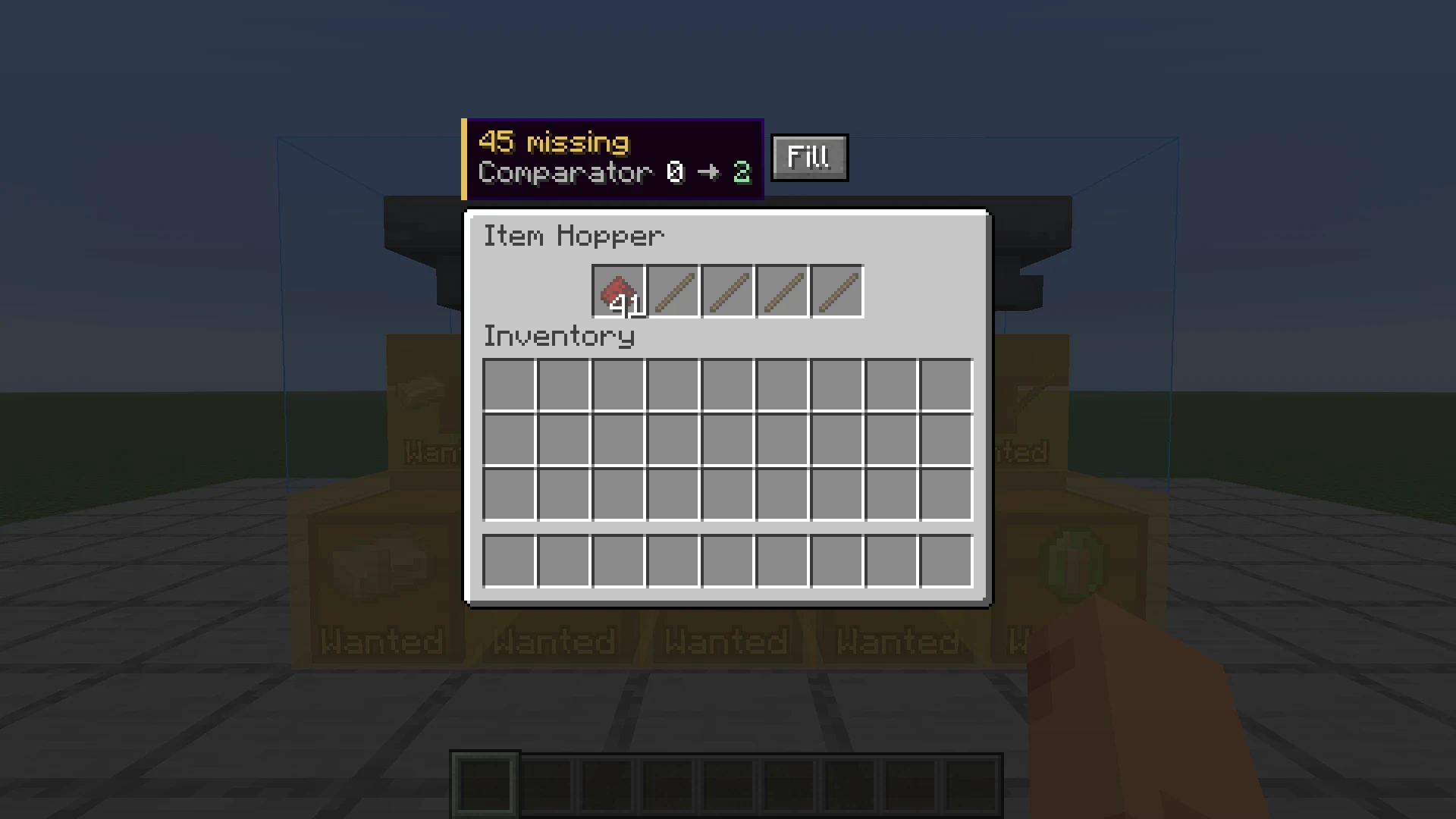
- An empty slot shows the item it should hold as a ghost, with the count.
- A stack that is short shows +5, one that is too big shows -3.
- A slot with the wrong item has a red frame, with the wanted item small in its corner.
- The panel next to the container says how many items are missing and how many are too many.
- Fill moves the wanted items over from your inventory. In creative they are made for you. Slots that hold something else are left alone.
The comparator signal #
The panel shows two numbers, for example Comparator 1 -> 3. The first is the signal a comparator reads from the container now, the second is the signal it reads with the items of the schematic. If you use other items than the schematic does, fill the container until the two numbers are the same.
How BuildPrint knows what is inside #
| Where | How |
|---|---|
| Single-player | Containers within 24 blocks are read once a second. You do not have to open them. |
| On a server | The game only tells your client what is in a container while it is open. Open it once, and BuildPrint remembers whether it matched. |
| On a server, with Sorted | BuildPrint also uses what Sorted has seen in chests, barrels and shulker boxes. That can show that a container differs. It cannot show that the slots are right. |
What is remembered is what BuildPrint last saw. A running hopper or another player can change a container afterwards. That is why the panel says "matched" and not "correct".
Slot order #
Slots are compared one by one: the first slot of the container against the first slot in the schematic, and so on. That matters for hoppers, which empty from the first slot, and for crafters, where the grid is the recipe. With Slot order counts in chests off, only the totals per item are compared for chests, barrels and shulker boxes.
Settings #
- Container contents default On
- Shows what goes inside containers, in the look-at panel and in the open container.
- Label containers that need items default On
- Shows the wanted items on the container in the world.
- Slot order counts in chests default On
- Compares chests, barrels and shulker boxes slot by slot. Off compares only the totals.
| Key | Action |
|---|---|
| I | Hold to show the contents of a container that already matched |
With Sorted and Peek #
Sorted and Peek put their own label on a container. Where BuildPrint shows its label, theirs steps aside, and comes back when the container matches. This needs a Sorted version that supports it. With an older Sorted installed, BuildPrint shows no labels on containers.
Which schematics have contents #
The schematic has to carry the contents. Files saved in single-player with Litematica, WorldEdit or a structure block usually do. So do schematics saved with the The editor in single-player. A file saved on a server only has the containers that were opened before saving.
Something missing or wrong on this page? Say so on Discord.