
Marketplace
Browse community builds in the game, place them, and publish your own.
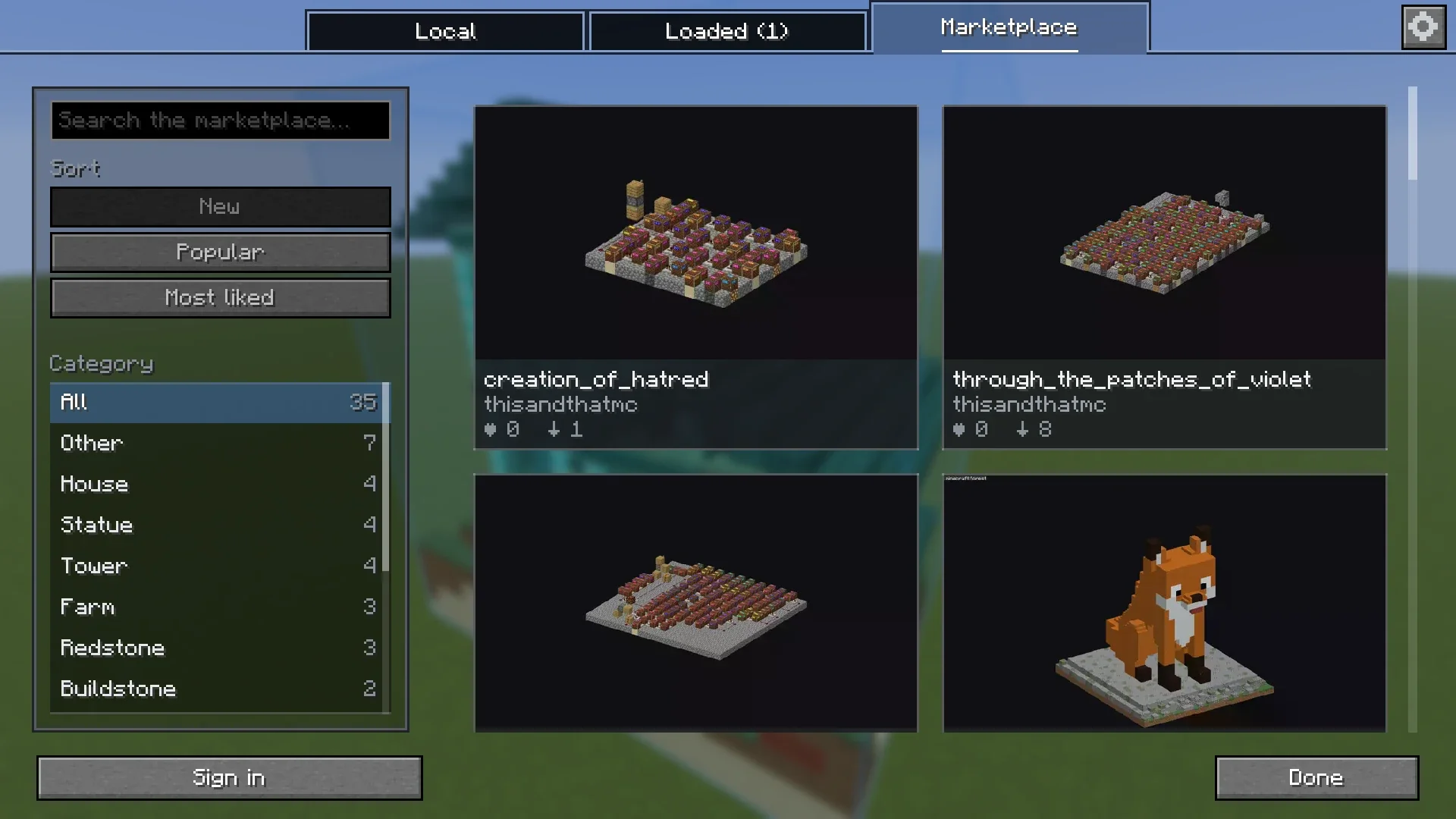
Browse and place #
- Press M and open the Marketplace tab.
- Search, sort, and filter by category.
- Click a build for pictures, size, block count, tags and description.
- Download saves it to
schematics/Marketplace/. - Place downloads it and puts it in your world as a ghost.
You do not need an account for any of this. The same builds are on the marketplace on this site, where you can look at them in 3D.
Sign in #
- Click Sign in in the Marketplace tab.
- The game shows a few digits. Click Open sign-in page.
- Check that the page in your browser shows the same digits and press Approve.
You never type a password in the game. Signed in, you can vote on builds and publish your own. Sign out from the same place, or from your account on this site.
Publish a build #
- Load the build and select it in the Loaded tab.
- Click Publish to marketplace.
- Drag to frame the build, scroll to zoom, and click Take pictures from here.
- Add a title and a category. Description and tags are optional.
- Click Publish.
Something missing or wrong on this page? Say so on Discord.