
Material list
What a build needs, what is placed and what you carry.
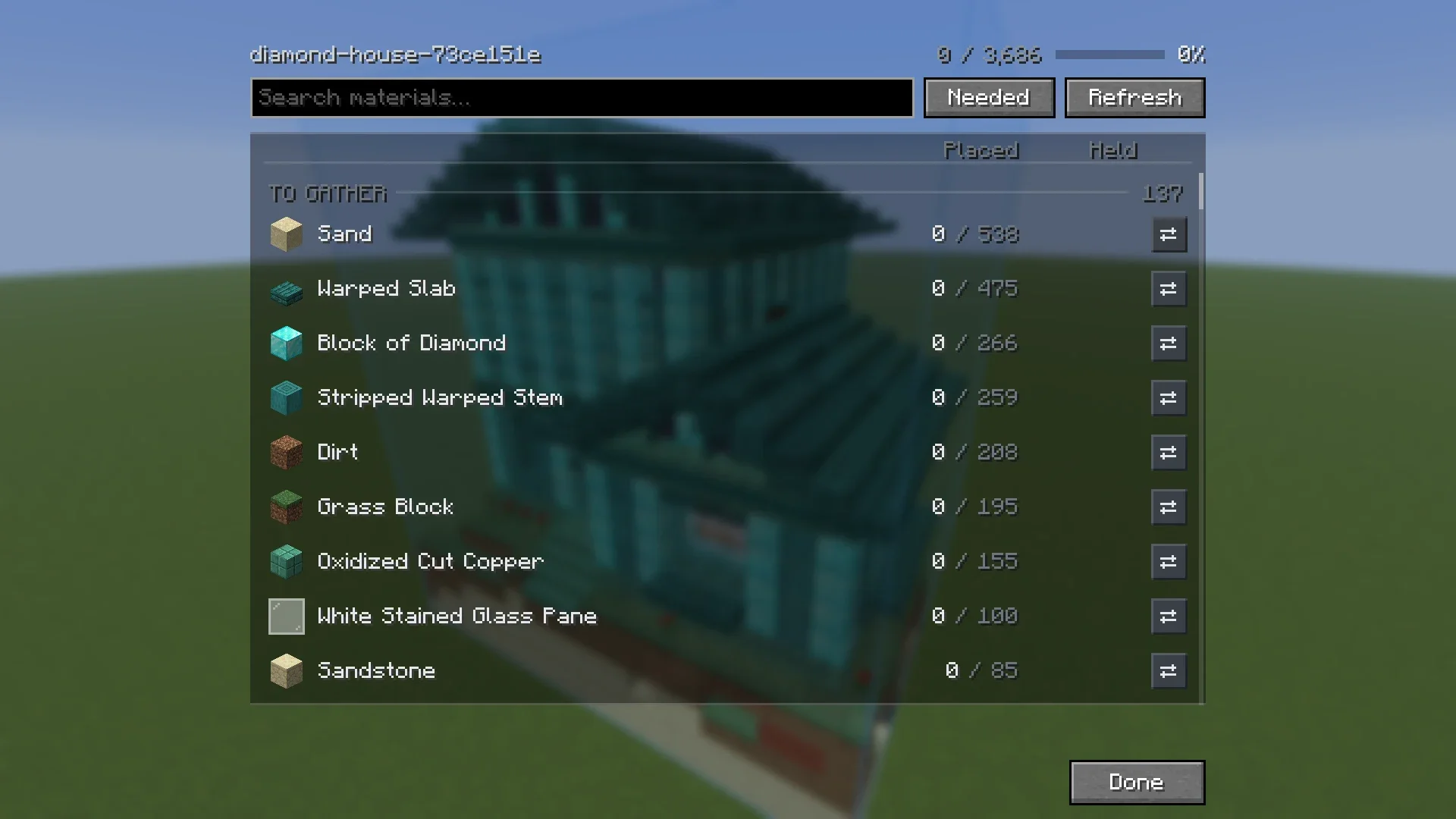
Select a build in the Loaded tab and click Materials.
Columns #
| Column | Meaning |
|---|---|
| Total | How many the build needs. |
| Stacks | The same number in stacks. |
| Placed | How many are in the world already. |
| Held | How many you carry, including what is in shulker boxes in your inventory. |
| Chests | Only with Sorted: how many are in chests Sorted knows. |
Groups and filters #
- Rows are grouped into To gather, Done and Extras.
- Needed shows only what is left. All shows everything.
- With the Layer view on, choose between This layer and Whole build.
- The search box filters by name.
More than blocks #
The list also counts what a build needs besides blocks: dyes and glow ink for signs, seeds for crops and bone meal for tall plants.
How it stays up to date #
The list updates as you place and break blocks and as chunks load. Parts of a build that your game has not loaded yet are shown as not yet checked. Visit the build, or click Refresh.
With Sorted #
With Sorted installed, the Chests column shows how many of each block are in chests you have opened. Click the magnifier on a row to light those chests up through walls. On a server these counts are what Sorted last saw, so they can be out of date.
Something missing or wrong on this page? Say so on Discord.